by
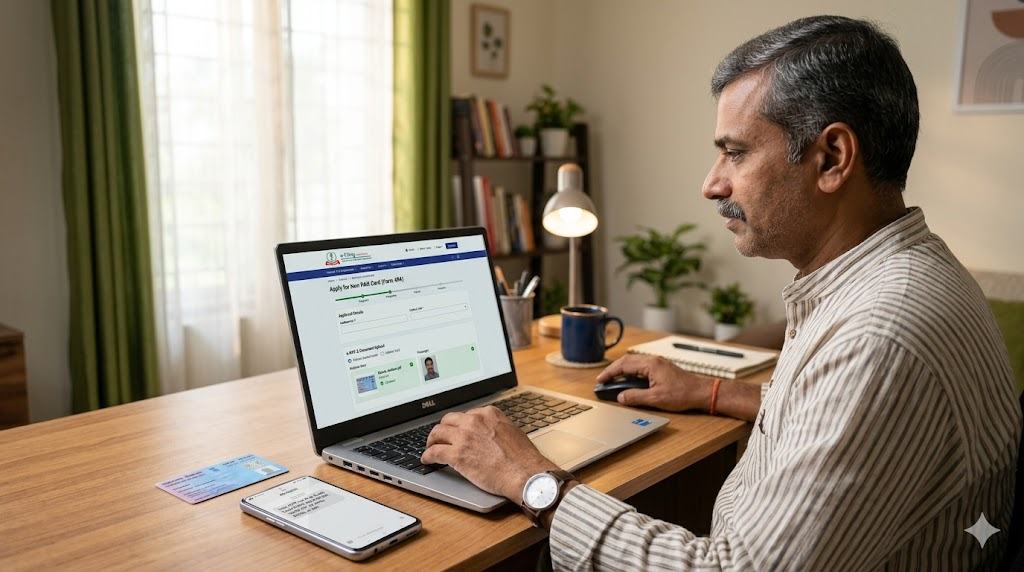
by Applying for a PAN Card used to mean standing in long queues and filling out complex forms. But in 2026, the process is fully digital, quick, and can be done from the comfort of your home. This guide will walk you through every step in simple language.
What is a PAN Card?
PAN stands for Permanent Account Number. It is a unique 10-character alphanumeric code issued by the Income Tax Department of India. Think of it as a financial identity proof that is essential for almost all major money-related tasks.
Why PAN Card is Important
You cannot ignore a PAN Card if you wish to manage your finances legally. Here is why you need it:
- Opening bank accounts or demat accounts
- Filing Income Tax Returns (ITR)
- Applying for loans, credit cards, or a passport
- Investing in mutual funds, shares, or bonds
- Buying or selling property (land, flat, or house)
- Completing KYC verification for financial services
Documents Required
Before you begin, keep these things ready:
- Aadhaar Card (must have your current address)
- Mobile number linked with your Aadhaar (to receive OTP)
- Passport-size photograph (digital copy)
- Signature image (for physical PAN card requests)
- Alternate address proof (if your Aadhaar address is old – like Voter ID or Passport)
Who Can Apply?
The online facility is open to:
- Indian citizens (18 years and above)
- Students (above 18) who need PAN for investment or bank accounts
- Minors (application through parents or guardians)
- NRIs and foreign citizens (under specific categories)
How to Apply for PAN Card Online – Step-by-Step
Follow these 11 simple steps carefully:
Step 1: Visit the official PAN application portal – either Protean (formerly NSDL) or UTIITSL.
🆔 Visit UTIITSL PAN Services Portal
🆔 Apply for PAN Card via Protean Portal
Step 2: On the homepage, click “Apply for New PAN Card” (Form 49A).
Step 3: Select “Individual” as the applicant type.
Step 4: Enter your basic details: full name, date of birth, mobile number, and email ID.
Step 5: Verify your mobile number using the OTP sent to you.
Step 6: Choose the Aadhaar-based e-KYC option – this makes the process instant.
Step 7: Carefully fill in your personal and permanent address details exactly as on Aadhaar.
Step 8: Upload your photograph and signature (if the form asks).
Step 9: Review all information – check spelling, name order, and date of birth twice.
Step 10: Pay the application fee online (approx. ₹93 for e-PAN + physical card).
Step 11: Submit the form and note down the 15-digit acknowledgement number.
e-PAN Facility
If you choose Aadhaar-based e-KYC, you may receive a free e-PAN within 30 minutes. It is a digitally signed PDF valid for most official purposes. You can download it instantly from the portal.
How to Check PAN Application Status
- Go to the same official portal (Protean or UTIITSL)
- Click on “Check PAN Application Status”
- Enter your acknowledgement number
- View real-time progress (e.g., “Under Review” or “Dispatched”)
Important Tips for a Smooth Application
- Ensure your Aadhaar name and date of birth exactly match your other documents.
- Always use a mobile number linked to your Aadhaar – otherwise OTP will fail.
- Double-check spelling – even one letter mismatch can cause rejection.
- Save your acknowledgement number in a notebook or phone.
Official Websites
Only use these government-approved websites to avoid fraud
🆔 Apply for PAN Card via Protean Portal
🆔 Visit UTIITSL PAN Services Portal
Conclusion
Applying for a PAN Card online in 2026 is faster and more convenient than ever. With the help of Aadhaar-based e-KYC and digital verification, most applicants can complete the entire process from home and receive their e-PAN within hours. You no longer need to visit any income tax office or stand in long lines. Just follow this step-by-step guide, and your new PAN Card will be ready in no time.