by
by Aadhaar is a 12-digit unique identity number issued by the Government of India. It serves as proof of identity and address, making it essential for accessing government schemes, opening bank accounts, getting a mobile SIM, and more .
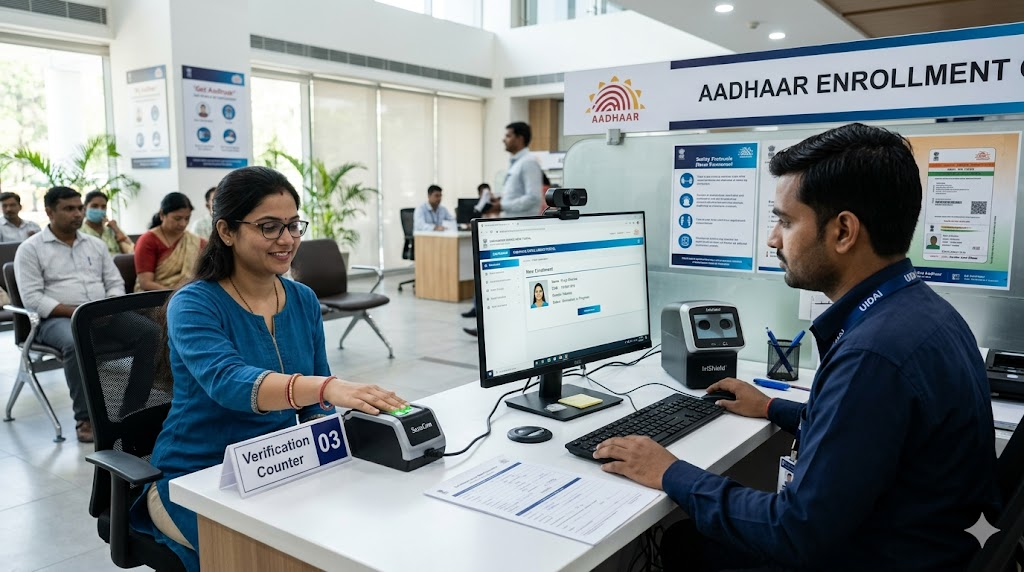
You cannot get an Aadhaar completely online because biometric data (fingerprints, iris scan, photo) must be collected in person . However, you can complete the initial application and book an appointment online to save time.
Who Can Apply?
- Adults and children (no age limit).
- Baal Aadhaar (Blue Card): For children under 5 years old. This card only requires a photo, not full biometrics .
- Residents of India (any nationality, having stayed 182+ days in the last year) .
Documents You Will Need
You must carry originals of the following (one each):
- Proof of Identity (PoI): Passport, Voter ID, PAN Card.
- Proof of Address (PoA): Bank passbook, utility bill, Driving Licence.
- Proof of Date of Birth (PoDoB): Birth certificate, SSLC certificate.
- For Baal Aadhaar: Child’s Birth Certificate and Parent’s Aadhaar .
Step-by-Step Enrollment Process
Step 1: Book Appointment Online
Visit the official UIDAI website and use the “Book an Appointment” link to find the nearest Aadhaar Seva Kendra or Enrollment Centre .
Step 2: Visit the Centre
Carry your original documents and appointment slip. Reach the center on time for your biometric capture.
Step 3: Complete Verification
At the centre, the executive will:
- Verify your documents.
- Capture your photograph.
- Record your fingerprints and iris scan.
- For children under 5: Only the parent’s biometrics are taken .
Step 4: Collect the Slip
You will receive an Acknowledgement Slip containing a 14-digit Enrolment ID (EID). Keep this safe! You need it to track your application .
After Enrollment: Tracking & Download
- Check Status: Visit the UIDAI status portal and enter your EID.
- Download e-Aadhaar: Once generated, download the PDF from the UIDAI website. It is as valid as the original.
- Charges: First-time enrollment is FREE. A nominal fee applies only for updates or reprints later .
Tips & Common Mistakes to Avoid
- Carry Originals: Centres only accept original documents for verification, not photocopies.
- Check Details: Verify your name, spelling, and birth date on the screen before the operator submits the form.
- Use Official Sources: Always use the official UIDAI website or helpline (1947) to avoid fraud. Do not trust agents promising fully online Aadhaar generation.
Official Links: