
 by
by KSEB bill payment online takes less than two minutes if you have your 13-digit consumer number. You can pay your Kerala electricity bill through the official KSEB Quick Pay page, the KSEB mobile app, UPI apps like Google Pay and PhonePe, or at a section office. This 2026 guide shows every method step by step, plus how to view and download your bill, avoid late fees and get a receipt.
KSEB Bill Payment Online 2026: Quick Facts
| Detail | Information |
|---|---|
| Quick Pay (no login) | wss.kseb.in/selfservices/quickpay |
| Consumer number | 13 digits (printed on the bill) |
| Billing cycle | Bi-monthly for most homes |
| Late payment surcharge | 0.5% per month of delay |
| Customer care | 1912 (24×7) |
Where to Find Your 13-Digit Consumer Number
Your KSEB consumer number is printed on the bill given by the meter reader, usually near the barcode and marked “Consumer No.” or “C#”. It is also shown in the SMS KSEB sends after each meter reading. Note it down or save it in your phone, because every online payment method asks for it.
Method 1: KSEB Quick Pay (Fastest, No Login)
- Open the official KSEB Quick Pay page.
- Enter your 13-digit consumer number and your registered mobile number.
- Type the captcha and click Submit.
- Check the bill amount and due date shown on screen.
- Choose UPI, debit card, credit card or net banking and complete the payment.
- Download or screenshot the e-receipt. You will also get an SMS confirmation.
Method 2: KSEB Mobile App
- Install the official KSEB app from Google Play or the App Store.
- Register with your consumer number and mobile OTP.
- Open “My Bills” to see the current bill.
- Tap Pay and finish the payment.
The app is useful if you manage more than one connection, such as your home and a shop, because you can add several consumer numbers to one account.
Method 3: Google Pay, PhonePe, Paytm and Other UPI Apps
- Open the app and go to Bill Payments → Electricity.
- Search for Kerala State Electricity Board (KSEB).
- Enter the consumer number and fetch the bill.
- Pay with UPI PIN.
These apps use the Bharat Bill Payment System (BBPS), so the payment reaches KSEB directly. Bank net banking and bill-pay sections also list KSEB as a biller.
Method 4: Offline Payment
You can still pay at KSEB section office cash counters, which accept cash, cards and UPI on working days. Many Akshaya centres and FRIENDS Janasevana Kendrams also collect KSEB bills. Keep the printed receipt safely.
How to View and Download Your KSEB Bill
- Go to the KSEB bill view page or log in to the customer self-service portal at wss.kseb.in.
- Enter your consumer number and select your electrical section office.
- Click View Bill to see units consumed, fixed charge, energy charge, duty and total.
- Download the bill as a PDF for your records or for address proof.
Late Fee and Disconnection Rules
If the bill is not paid by the due date, a surcharge of 0.5% per month is added. KSEB can also issue a disconnection notice after the due period. Reconnection needs payment of the dues plus reconnection charges, so it is cheaper to pay on time. Set a reminder a few days before the due date shown in your SMS.
Payment Failed but Money Deducted?
- Wait 24–48 hours. Most failed transactions are auto-reversed or updated.
- Check payment status on the KSEB portal using your transaction ID.
- If not resolved, call 1912 or raise a complaint with your bank or UPI app.
Useful KSEB Services
Register your mobile number to get outage and bill SMS alerts. See our guide on KSEB outage alert SMS registration. If you plan to cut your bill permanently, read about rooftop solar under PM Surya Ghar Muft Bijli Yojana.
KSEB Bill Payment Online on Mobile: Screen-by-Screen
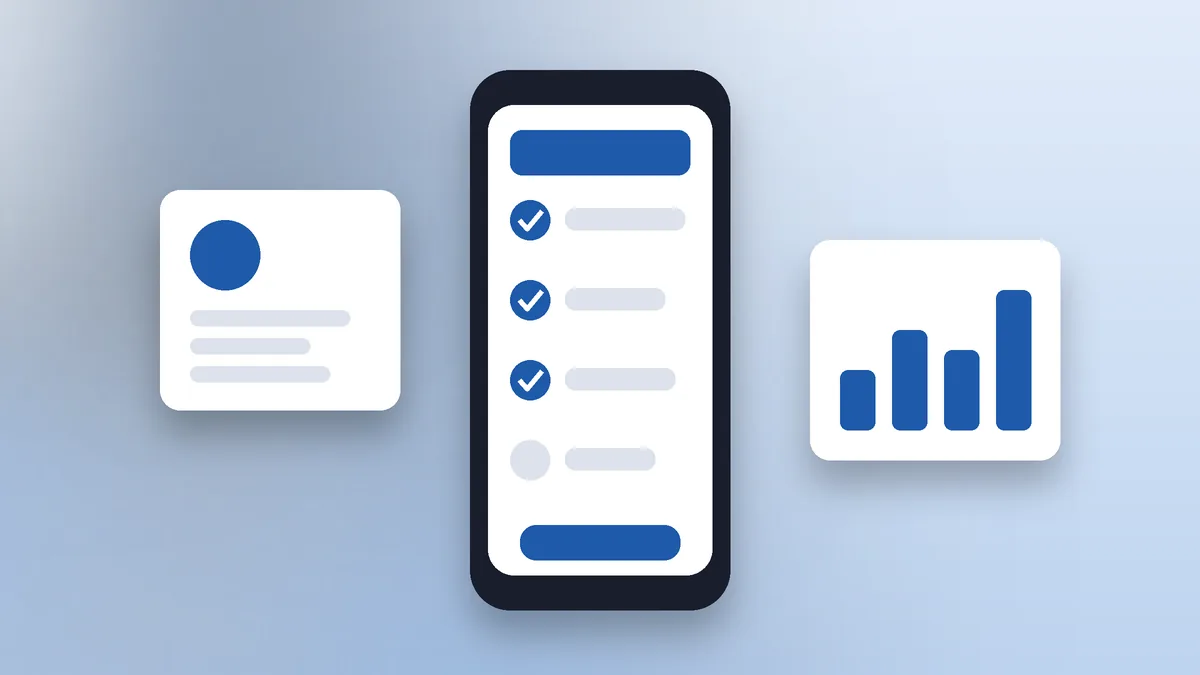
Here is what you will see when you do KSEB bill payment online using Quick Pay on a phone:
- Quick Pay screen: Two boxes ask for the consumer number and mobile number, followed by a captcha.
- Bill summary: After you submit, the page shows the consumer name, section office, bill date, due date and amount payable.
- Payment gateway: Choose UPI, debit card, credit card or net banking. UPI is usually the fastest.
- Confirmation: A success page appears with a transaction ID. Take a screenshot or download the receipt.
- SMS: KSEB sends a confirmation SMS to your registered mobile number.
How to Read Your KSEB Bill
Understanding the bill helps you check if the amount is correct before KSEB bill payment online:
- Consumer number and section: Identify your connection and the office that serves it.
- Previous and present reading: The difference is the units used in the billing period.
- Tariff: Domestic, commercial or other category that decides the rate per unit.
- Fixed charge: A charge based on your connected load or consumption slab.
- Energy charge: Units used multiplied by the applicable rate.
- Electricity duty and other charges: Government duty and any surcharge notified by the regulator.
- Due date and disconnection date: Pay before the due date to avoid surcharge.
Why Is My Bill Bi-Monthly?
Most domestic consumers in Kerala are billed once every two months after the meter reader visits. The units for two months are added together, so the bill may look high compared to monthly billing in other states. Tariff slabs are applied in a way that accounts for the two-month period. If you want to track usage more closely, note your meter reading every month yourself.
Documents and Details to Keep Ready
- 13-digit consumer number
- Registered mobile number
- Latest bill or SMS from KSEB
- UPI app, debit card or net banking login
- For new registrations on the self-service portal: email ID and a recent bill
How to Register on the KSEB Self-Service Portal
- Visit wss.kseb.in and choose the option to register as a new user.
- Enter your consumer number, mobile number and email.
- Verify with OTP and set a password.
- Log in to view bills, payment history, and to opt for e-bill by email.
- Add more consumer numbers if you manage several connections.
Once registered, KSEB bill payment online becomes even faster, because your details are saved and you can see all past payments in one place.
Due Dates, Surcharge and Disconnection
Your bill shows the due date, usually about 10 days after the bill date, and a later disconnection date. If you pay after the due date, a surcharge is added for each month of delay. If the bill stays unpaid after the notice period, KSEB can disconnect the supply. Reconnection needs payment of dues plus a reconnection fee. Setting a phone reminder for two days before the due date is the simplest way to avoid all of this.
Paying KSEB Bills for Parents From Abroad
Many Keralites working in the Gulf and other countries pay their parents’ electricity bills. KSEB bill payment online works with Indian debit and credit cards, Indian net banking and UPI. If you have an NRE or NRO account with UPI enabled, you can pay using a UPI app with an international mobile number, if your bank supports it. Ask your parents to share the consumer number and the bill SMS each billing cycle.
Paid Twice by Mistake?
If you pay the same bill twice, the extra amount is usually adjusted against your next bill as an advance. If you need a refund instead, contact your section office with both transaction IDs. Keep screenshots of both payments until the adjustment is visible in the next bill.
Tips to Reduce Your Electricity Bill
- Use BEE 5-star rated fans, fridges and air conditioners.
- Switch to LED bulbs everywhere.
- Set AC temperature at 24–26°C and clean filters regularly.
- Turn off water heaters and pumps when not in use.
- Consider rooftop solar; subsidies may be available under central schemes.
KSEB Bill Payment Online: Which Method Is Best?
| Method | Login needed | Speed | Best for |
|---|---|---|---|
| KSEB Quick Pay | No | Very fast | One-time payments |
| KSEB app / WSS portal | Yes | Fast | Multiple connections, history |
| Google Pay / PhonePe / Paytm | UPI app | Very fast | Everyday users |
| Bank net banking (BBPS) | Bank login | Fast | Auto-pay setup |
| Section office / Akshaya / FRIENDS | No | Depends on queue | Cash payers |
For most people, KSEB bill payment online through Quick Pay or a UPI app is the simplest choice.
Set Up Auto-Pay So You Never Miss a Due Date
Many banks let you add KSEB as a biller and turn on auto-pay through the Bharat Bill Payment System. When a new bill is generated, the amount is paid automatically up to a limit you set. Some UPI apps also offer bill reminders and autopay. Auto-pay is especially useful for elderly parents and for houses where the owner lives elsewhere. Check the bill amount every cycle so that an unusually high bill is noticed quickly.
How to Download a KSEB Payment Receipt
- Log in to the KSEB self-service portal or app.
- Open the payment history section.
- Select the payment and download the receipt as PDF.
If you paid through a UPI app or net banking, the transaction details are also saved in that app’s history. These receipts are useful as proof if there is any dispute.
Changing Your Registered Mobile Number
To receive bill SMS and to use Quick Pay smoothly, your current mobile number must be registered with KSEB. You can update it through the self-service portal, by calling 1912, or by visiting your section office with ID proof and the consumer number. After updating, try a small KSEB bill payment online through Quick Pay to confirm the new number works.
High Bill? Steps to Check
- Compare present and previous meter readings on the bill with your meter.
- Check if any new appliance like an AC or water heater was added.
- Look for arrears from earlier bills or surcharge.
- Check for earth leakage; call an electrician if the meter runs with everything switched off.
- If you still think the bill is wrong, raise a complaint at the section office or on 1912 before the due date.
Safety Tips for KSEB Bill Payment Online
Fraudsters often send fake SMS or WhatsApp messages saying “your electricity will be disconnected tonight” with a phone number or link. KSEB does not ask you to call personal numbers or install remote-access apps to pay a bill. Follow these rules for safe KSEB bill payment online:
- Use only wss.kseb.in, the official KSEB app, or trusted UPI and bank apps.
- Never share OTP, card PIN or UPI PIN with anyone.
- Do not install apps like AnyDesk or TeamViewer on a caller’s request.
- Verify any disconnection message by calling 1912 or checking your bill on the portal.
- Report frauds to the cyber helpline 1930 or cybercrime.gov.in.
KSEB Bill Payment Online for Commercial Connections
Shops and small businesses can use the same methods. Commercial bills may be monthly and usually have higher tariffs. Businesses that need GST-compliant records should register on the self-service portal so that every bill and payment receipt can be downloaded for accounting. Paying through the business bank account also keeps records clean.
Paying for Multiple Connections
If you own several houses, shops or rented properties, the KSEB app and self-service portal let you add all consumer numbers under one login. You can then do KSEB bill payment online for each connection from a single screen and see which bills are pending. Landlords can share the consumer number with tenants so tenants pay directly using Quick Pay.
What if Quick Pay Shows an Error?
- “Invalid consumer number”: Check all 13 digits; do not include spaces.
- “Mobile number mismatch”: Use the number registered with KSEB or update it first.
- Page not loading: Try another browser, switch off VPN, or use a UPI app instead.
- Bill amount zero: The bill may already be paid or not yet generated.
KSEB Bill Payment Online: Quick Summary
KSEB bill payment online is simple: keep your 13-digit consumer number handy, use Quick Pay, the KSEB app or any UPI app, and save the receipt. Pay before the due date to avoid surcharge, register on the self-service portal to see history, and set up auto-pay if you often forget. With these steps, KSEB bill payment online takes less time than making a cup of tea.
About KSEB
Kerala State Electricity Board Limited (KSEBL) generates, transmits and distributes most of the electricity used in Kerala and serves well over one crore consumers. Its section offices handle new connections, billing, meter issues and local complaints, while the 1912 call centre works round the clock. Over the past few years, KSEB has moved most services online, so bills, payments, complaints and applications can now be handled without visiting an office.
Other Online Services You Can Use
- Apply for a new connection or load change online
- Register complaints about power cuts or voltage problems
- Apply for name change on a connection after property transfer
- Check outage and maintenance alerts by SMS
- Use the bill calculator on the KSEB website to estimate your next bill
Combining these services with KSEB bill payment online saves a lot of time for busy families.
A Note for Senior Citizens
Elderly consumers who are not comfortable with phones can ask a family member to pay through UPI, or use nearby Akshaya and FRIENDS centres. Keeping a simple notebook with the consumer number, due dates and amounts paid each time helps avoid confusion. Family members abroad can also set up auto-pay so the bill is never missed. If an elderly person receives a threatening call about disconnection, they should hang up and confirm with 1912 before doing anything.
Monthly Habit Checklist
- Note the meter reading at the start of every month.
- Check the bill SMS the day it arrives.
- Complete KSEB bill payment online within two or three days.
- Save the receipt in a phone folder named “KSEB”.
- Compare usage with the same period last year to spot unusual jumps early.
Following this short routine keeps your electricity account clean, avoids surcharge and gives you a clear record if you ever need to raise a complaint with the section office. It also helps you notice faulty appliances or wiring early, which can save money and prevent accidents at home during the monsoon season.
Frequently Asked Questions
How can I pay my KSEB bill online without login?
Use KSEB Quick Pay at wss.kseb.in. Enter your 13-digit consumer number, mobile number and captcha, then pay by UPI, card or net banking.
Can I pay KSEB bill using Google Pay?
Yes. Go to Bill Payments → Electricity, choose Kerala State Electricity Board and enter your consumer number.
Where is the consumer number on the KSEB bill?
It is the 13-digit number printed near the barcode on your bill, also sent in the KSEB SMS after meter reading.
What is the KSEB customer care number?
Call 1912 for complaints and payment issues. It works 24×7.
What happens if I pay the KSEB bill late?
A surcharge of 0.5% per month is added, and the connection may be disconnected after the notice period.
Note: Links and procedures are as per KSEB’s official portal in 2026. If a page changes, use the main site kseb.in to find the latest option.