by
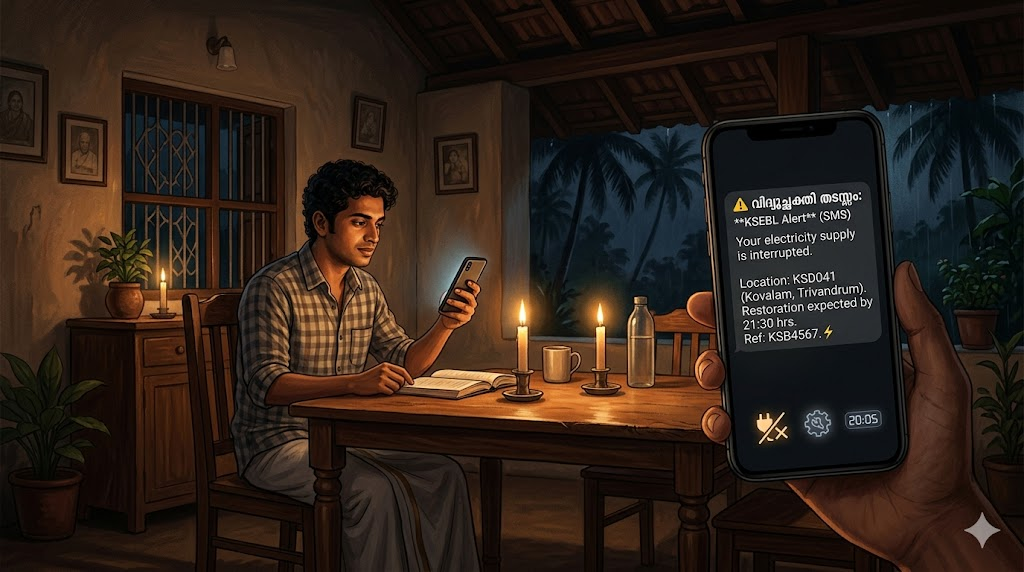
by Unexpected power cuts can disrupt your work, study, or even a relaxing evening at home. Instead of wondering when the electricity will return, the Kerala State Electricity Board (KSEB) offers a simple solution. By completing a KSEB outage alert SMS register process, you can receive real-time updates about power interruptions directly on your phone.
Here is a simple guide to help you set up the service and stay informed.
What is the KSEB Outage Alert SMS Service?
This is a free notification service provided by KSEB. Once you register your mobile number, the board sends automatic SMS alerts regarding:
- Scheduled power cuts and maintenance work
- Sudden outages in your area
- Restoration updates when power is back
- Electricity bill generation and due date reminders
Key Benefits of KSEB SMS Alerts
- Instant updates – No need to call anyone or check social media.
- Better daily planning – Know about a scheduled power cut in advance.
- Avoid payment delays – Get bill reminders so you never miss a due date.
- Saves time – Direct information without manual effort.
- Reduces stress – Official communication directly from KSEB.
How to Complete KSEB Outage Alert SMS Register
You can register using two easy methods: the official website or the KSEB Mobile App.
Method 1: Via the Official Website
⚡ Register Mobile for KSEB SMS Alerts
- Visit the KSEB self-service portal (kseb.in).
- Log in using your consumer number and password.
- Navigate to Profile / Settings section.
- Add or update your mobile number.
- Look for the option “Enable SMS Alerts” and turn it on.
- Save your changes.
Once saved, you will start receiving KSEB SMS alerts Kerala immediately.
Method 2: Using the KSEB Mobile App (Easiest Way)
The KSEB Mobile App makes registration quick and user-friendly.
Steps:
- Download the KSEB Mobile App from Google Play Store or Apple App Store.
- Log in using your consumer number and registered password.
- Go to Account / App Settings.
- Tap on Update Mobile Number and enter your active number.
- Enable Push Notifications and SMS Alerts.
- Confirm and save.
This method is ideal for KSEB mobile number update and takes less than two minutes.
Why This Service is Useful for You
- Power cuts can happen anytime due to heavy rain, tree fall, or maintenance.
- Knowing in advance helps you charge devices, save work, or plan cooking.
- During emergencies, official power cut notification Kerala alerts prevent confusion.
- It improves trust and communication between consumers and KSEB.
Important Tips for Smooth Service
- Always register an active mobile number linked to your consumer ID.
- If you change your SIM or number, repeat the KSEB mobile number update process.
- Keep your phone’s network signal active to receive SMS on time.
- If alerts stop unexpectedly, re-register through the app or website.
- Save the KSEB alert sender ID so you don’t ignore it as spam.
Additional Features of the KSEB Mobile App
Beyond KSEB outage alert SMS register, the app offers:
- Pay electricity bills online
- View consumption history
- Register and track complaints
- Download paid receipts
- Check new connection status
Everything is available in one place, making electricity management easy.
Final Thoughts
Completing your KSEB outage alert SMS register is a small, one-time effort that brings lasting convenience. Whether you use the website or the KSEB Mobile App, the process is simple and free. For every resident in Kerala, activating this service means fewer surprises and better control over your daily routine. Set it up today and receive power cut updates right on your mobile.
Official Website
⚡ Register Mobile for KSEB SMS Alerts
Android
iOS