 by
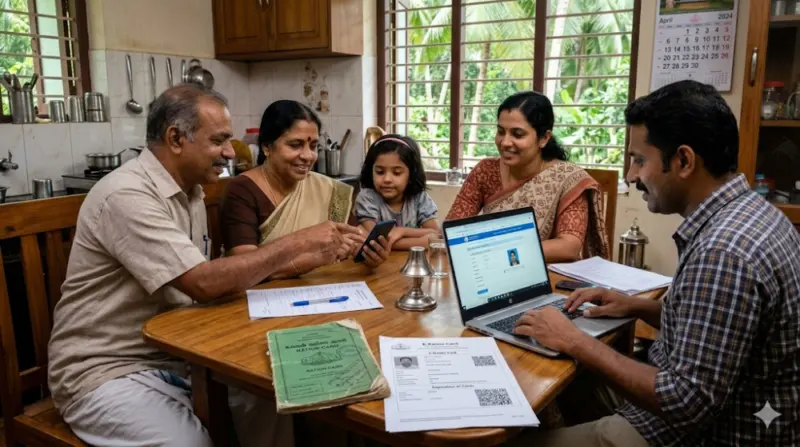
by If you live in Kerala and need a separate ration card from your existing family card, the process is called ration card splitting. This allows one or more members to move out from the old card and get an independent new card.
What Does Splitting a Ration Card Mean?
When family members start living separately—due to marriage, shifting to a new house, or family partition—they can apply for a new ration card from the same family Kerala. The old card continues for remaining members, while the separated members receive their own card.
Common situations:
- Married couple setting up new home
- Adult children moving to different residence
- Property division among family members
Who Is Eligible?
You can apply for a separate ration card application Kerala if:
- You have a separate kitchen and residence
- Your name exists on the old family ration card
- You provide valid address proof for new home
- The remaining family members agree (or legal proof of separation exists)
Documents Required
Keep these ready:
- Aadhaar cards of all applicants
- Existing ration card copy
- New residence address proof (electricity bill, rental agreement, or water bill)
- Passport-size photo
- Active mobile number
- Marriage certificate (if applicable)
How to Apply Online for Split Ration Card in Kerala – Step-by-Step Guide
Splitting a ration card in Kerala requires you to apply for a new ration card for the members separating from the existing family card. The entire process is managed through the official e-Citizen portal of the Civil Supplies Department. Below is the complete detailed guide.
Prerequisites Before You Start
Before beginning your online application, ensure:
- Aadhaar linkage – Your Aadhaar number must be linked with the existing ration card. As per the official portal, only those whose Aadhaar is connected to the ration card can complete registration .
- Active mobile number – All OTP communications will be sent to the registered mobile number .
- Scanned documents ready – Keep clear scanned copies (PDF or image format) of all required documents.
- Separate residence proof – You must have valid address proof for the new residence where the split card will be issued.
Step 1: Register on the e-Citizen Portal
Website: e-Citizen Ration Card Portal
🍚 Open Kerala e-Citizen Ration Card Portal
- Open the official e-Citizen Kerala Civil Supplies website
- Click on “Create an Account” or “Register” option
- Enter your barcode number found on the last page of your existing ration card
- Fill in the required user details (name, mobile number, email – optional)
- Select whether you want to receive the activation link via Mobile (OTP) or Email
- If using mobile: Enter the OTP sent to your registered mobile number
- Click “Submit” – an activation link will be displayed
- Click “Activate Account” to complete registration
- Login using your User ID and password
Step 2: Access the New Ration Card Application
- After logging in, navigate to the main menu
- Look for “Ration Card Services” section
- Select “New Ration Card” option
- Alternatively, if there is a specific “Member Transfer/Splitting” option, select that
Note: For splitting, you are essentially applying for a NEW ration card for the separating members while indicating they are being removed from an existing card.
Step 3: Fill the Application Form
Complete the online application form with accurate details :
Section A – Applicant/Household Head Details:
- Full name (as per Aadhaar)
- Date of birth
- Gender
- Occupation
- Mobile number
- Email address (optional)
Section B – Family Members Details:
For each member being moved to the new split card:
- Full name
- Relationship with head of household
- Date of birth
- Aadhaar number
- Gender
Section C – Address Details:
- New residence full address
- House name/number
- Street/locality
- Panchayat/Municipality/Corporation
- Ward number (if known)
- PIN code
Section D – Old Ration Card Information:
- Existing ration card number
- Taluk Supply Office (TSO) name
- Reason for split (marriage, separation, relocation, etc.)
Section E – Additional Information:
- Whether any member has LPG connection
- Electricity connection details (optional but helpful for address proof)
Step 4: Upload Required Documents
Upload clear scanned copies of the following documents :
| Document | Notes |
|---|---|
| Aadhaar Card (all members) | Must be clear and legible |
| Existing Ration Card copy | Front and back pages |
| New residence address proof | Electricity bill, water bill, or rental agreement |
| Passport-size photograph | Of the applicant/household head |
| Marriage certificate | If splitting due to marriage |
| Surrender/Removal certificate | If obtained from old card |
File format tip: Ensure documents are in PDF or JPG format and under the size limit specified on the portal.
Step 5: Review and Generate the Application
- Review all entered information carefully – any mistake can cause delays
- Click “Submit” or “Save” button
- The system will generate a completed application form
- Click “Print” to take a printout of this form
CRITICAL STEP: Sign and Re-Upload (Mandatory)
This is the most important step that applicants often miss:
- Sign the printed application form – The applicant (head of the new household) must physically sign the form
- Scan the signed application – Create a scanned copy of the signed form
- Upload the signed copy – Go back to the portal and upload the signed application form
- Click “Final Submit”
⚠️ Warning: The online application will be processed only if the signed copy of the application is uploaded. Without this step, your application will not be accepted by the Taluk Supply Office .
Step 6: Save Reference Number
After final submission:
- Note down the application reference number displayed on screen
- Save a screenshot for your records
- This number will be used to track application status
What Happens After Submission?
- Digital acknowledgment – System generates acknowledgment receipt
- Document verification – Officials at the Taluk Supply Office (TSO) verify uploaded documents
- Field verification – Authorities may visit the new residence to confirm address
- Old card update – Separated members are removed from the existing ration card
- New card issuance – New ration card is issued after approval
Tracking Application Status
You can check your application status:
- Login to the e-Citizen portal
- Look for “Application Status” or “Report” menu
- Enter your reference number
- View current status (Pending/Under Verification/Approved/Rejected)
For mobile updates: Download Sandes Mobile App to receive ration card online application status and print passwords .
Offline Assistance Options
If you face difficulties with online application:
- Akshaya Centres – These centers have dedicated user IDs and passwords for the e-Services application. They can assist with form filling and document uploading .
- Taluk Supply Office (TSO) – Visit your local TSO for guidance
Important Tips to Avoid Delays
| Mistake to Avoid | Why It Causes Delay |
|---|---|
| Forgetting to upload signed form | Application won’t be processed |
| Aadhaar not linked to old card | Registration will fail |
| Blurry document scans | Verification rejected |
| Incorrect address details | Field verification fails |
| Missing mobile number | No OTP/status updates |
| Duplicate applications | Creates confusion in system |
Processing Time
Standard processing time: 15 to 30 days, depending on:
- Local verification speed
- Workload at respective Taluk Supply Office
- Completeness of application
Final Thoughts
Splitting a ration card in Kerala is straightforward using the e-Citizen portal. Ensure all documents are correct, address proof is valid, and follow up with your local Supply Office if delayed. For 2026, the process remains fully online-first, making it easier for families to get their own independent ration card.
🍚 Open Kerala e-Citizen Ration Card Portal