 by
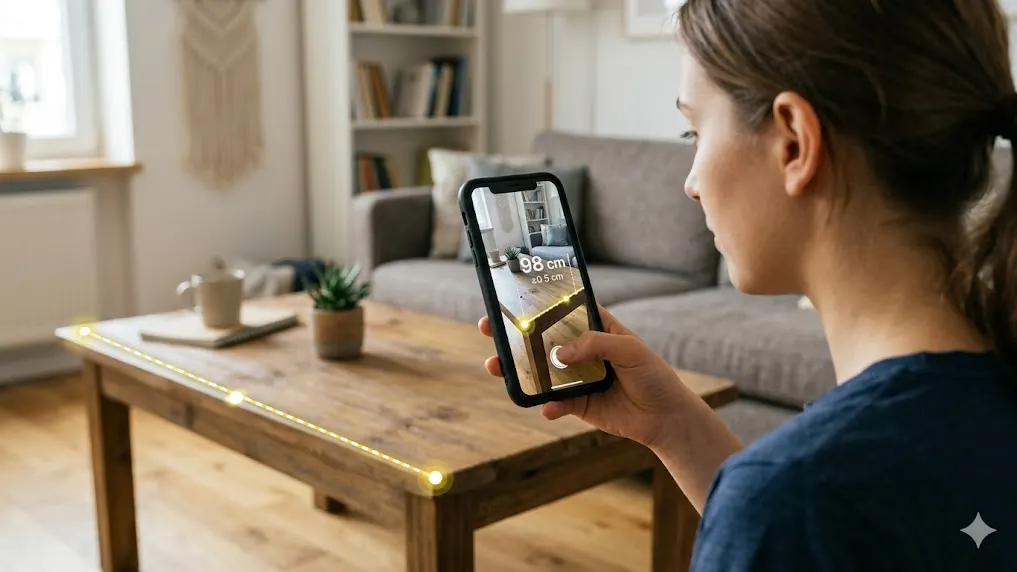
by Think of it as a digital tape measure that lives in your pocket. The app—let’s call it AR Ruler—uses augmented reality to turn your phone into a smart measuring tool. Point your camera at an object, and the app shows you its size on screen in real time.
It works for short distances, large furniture, wall heights, and even floor areas. And it does all of this instantly.
How AR Measurement Works
Augmented reality might sound complex, but the idea is simple. Your phone’s camera detects flat surfaces like floors, tables, or walls. The app then places virtual points in the real world and calculates the distance between them. You see the measurement appear right on your screen, overlaid on the object you’re measuring.
No lasers. No math. Just point and measure.
Key Features
- Measure Distance – Get the length between two points in seconds
- Measure Object Size – Check width, height, and area of boxes, frames, or appliances
- 3D Measurement – Measure real-world objects in three dimensions
- Screenshot Option – Save your measurements as images to share or keep
- Quick & Easy Use – No tools, no setup, no learning curve
How to Use the App
- Install the app from your app store
- Open the app and allow camera access
- Point your camera at a flat surface until the app detects it
- Mark start and end points on your screen
- View the measurement instantly
Where It Is Useful
- Home measurements – Check if a sofa fits before you move it
- Furniture planning – Measure spaces while shopping
- Students & projects – Quick classroom or DIY measurements
- Daily quick checks – Height of a package, width of a window, length of a table
Benefits
- No physical tools needed – your phone is always with you
- Fast and surprisingly accurate for everyday use
- Easy for anyone – no instructions required
- Saves time and avoids guesswork
Important Tips
- Use in good lighting – dim rooms reduce accuracy
- Keep your phone steady while marking points
- Measure on flat, clear surfaces for best results
- Double-check critical measurements with a physical tool if needed
Final Thoughts
You don’t need a drawer full of measuring tools anymore. Apps like AR Ruler make everyday tasks easier by turning your phone into a smart measuring tool. Whether you’re hanging pictures, buying furniture, or helping with a school project, it’s a simple solution that’s always in your pocket.
Try it once, and you’ll wonder why you ever carried a tape measure.
Download here:
Android
📏 Download AR Ruler App (Android)
iOS
📏 Download AR Ruler App (iPhone)