
 by
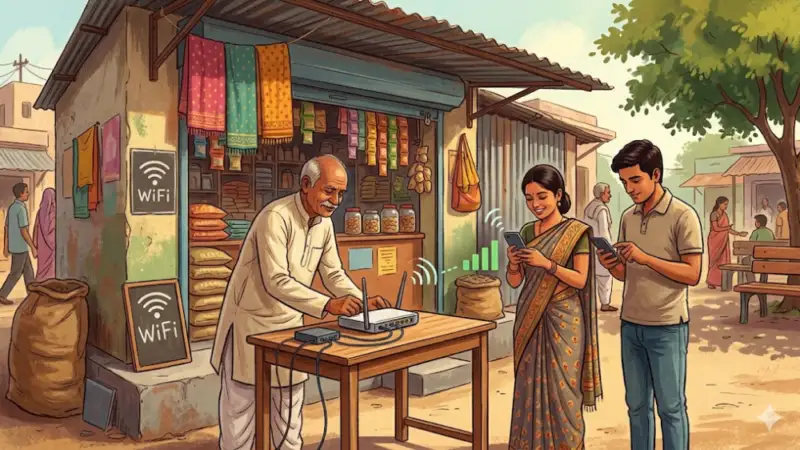
by India’s digital growth has created new earning opportunities for small businesses. One of the easiest ways to benefit is through the PM-WANI scheme. It allows anyone with a basic internet connection to offer public WiFi services.
With very low investment and no license fees, you can convert your shop into a WiFi hotspot and even generate extra income in 2026.
What is PM-WANI Scheme?
PM-WANI (Prime Minister Wi-Fi Access Network Interface) is a government initiative launched under the Department of Telecommunications.
The goal is to expand internet access across India by allowing small businesses to provide public WiFi. Instead of depending only on telecom companies, local shops and entrepreneurs can now become internet providers.
Who Can Apply?
The scheme is open to almost everyone, including:
- Small shop owners
- Tea stalls and cafes
- Grocery stores
- Libraries and institutions
- Local entrepreneurs
- Rural service providers
If you have a broadband connection and a small place, you can start your own WiFi service.
What is a PDO?
A Public Data Office (PDO) is simply a place where people can access WiFi.
👉 Example:
If your shop offers internet to customers, your shop becomes a PDO.
It’s that simple—no complicated setup or license required.
Documents Required
Before starting your PM WANI registration, keep these ready:
- Aadhaar Card
- PAN Card
- Mobile number
- Email ID
- Address/location details
- Internet connection details
Step-by-Step PM-WANI Registration Process
Step 1: Visit Official Website
Go to the official portal:
👉 https://pmwani.gov.in/wani
Step 2: Choose Your Role
Select Public Data Office (PDO) if you are an individual or shop owner.
Step 3: Connect with PDO Aggregator (PDOA)
You need to partner with a PDO Aggregator. They help with:
- Network setup
- User login system
- Billing and security
Step 4: Submit Your Details
Fill in:
- Name
- Location
- Contact information
- Business details
Your application will then be verified.
Step 5: Setup Equipment
Install basic devices such as:
- WiFi router
- Broadband connection
- Access points
Many PDOAs assist with installation.
Step 6: Activate Your Hotspot
Once approved:
- Your WiFi becomes live
- Nearby users can connect
- Login is done using OTP
How Users Connect to Your WiFi
- Turn ON WiFi
- Select your network
- Enter mobile number
- Verify OTP
- Start browsing
Equipment Needed
You don’t need expensive hardware. Basic setup includes:
- Internet connection
- Router
- Power supply
- Simple networking setup
How You Can Earn
PM-WANI creates multiple earning opportunities:
- Sell low-cost data plans
- Offer free WiFi to attract customers
- Increase footfall to your shop
- Promote digital services
More visitors often mean more sales in your main business too.
Benefits of PM-WANI
- No license required
- Low investment
- Extra income source
- Helps local community
- Supports Digital India mission
Safety & Security
The system ensures safety through:
- OTP-based login
- Secure authentication
- Usage monitoring
Still, users should follow safe browsing practices.
Future Scope
PM-WANI is expected to expand rapidly across India. As more hotspots are created, small businesses will play a key role in providing affordable internet access.
Final Thoughts
Starting a public WiFi hotspot through PM WANI registration is one of the simplest business ideas in 2026. With minimal investment, easy setup, and growing demand for internet, even a small shop can generate extra income.
If you already have a space and internet connection, this is a practical and smart opportunity to grow your business while helping others stay connected.


