 by
by Sometimes people want a short break from WhatsApp without disconnecting the entire internet on their phone. You may want to focus on studies, office work, gaming, watching videos, or simply enjoy some quiet time without constant messages and notifications. Turning off mobile data or Wi-Fi stops every app, which is not always convenient.
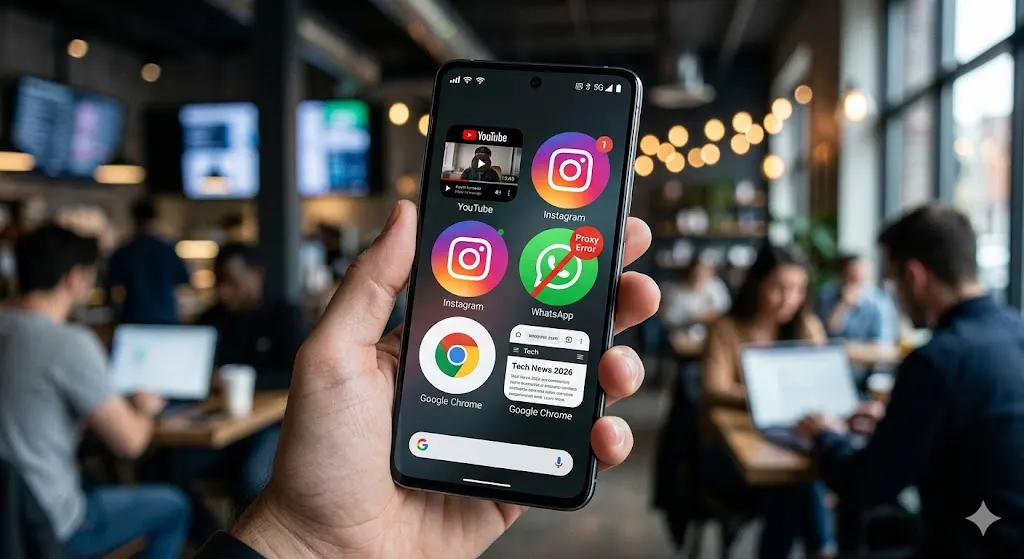
A simple solution is using the WhatsApp Proxy feature with an invalid proxy address. This temporarily blocks only WhatsApp while other apps like YouTube, Instagram, Chrome, Facebook, and Spotify continue working normally.
What Is This WhatsApp Proxy Trick?
WhatsApp includes a built-in Proxy feature that helps users connect through external servers. If you enter a fake or invalid proxy address, WhatsApp cannot connect to its servers. As a result, messages stop loading and notifications pause, while your internet still works for everything else.
This method is temporary and can be reversed anytime.
Steps to Disable Only WhatsApp Using Proxy Settings
Follow these simple steps:
1. Open WhatsApp Settings
Open WhatsApp on your phone.
- On Android: Tap the three-dot menu and select Settings
- On iPhone: Open Settings from the bottom menu
2. Go to “Storage and Data”
Inside Settings, tap Storage and Data.
3. Open Proxy Settings
Scroll down and select Proxy or Proxy Settings.
4. Enable “Use Proxy”
Turn on the option called Use Proxy.
5. Enter an Invalid Proxy Address
Now enter any fake or invalid proxy address such as:
1.1.1.1
or
000.000.000.000
You can also type random numbers that are not valid proxy servers.
6. Save the Settings
Tap Save.
Once saved, WhatsApp will try connecting through the fake proxy and fail. This stops WhatsApp from working, but your internet connection remains active for other apps.
What Happens After Enabling the Fake Proxy?
After applying the invalid proxy:
- WhatsApp messages stop sending and receiving
- Calls on WhatsApp may not work
- Notifications become delayed
- Other apps continue using the internet normally
- Mobile data and Wi-Fi remain ON
This creates a quick “WhatsApp break” without fully going offline.
Why Many Users Like This Trick
This method is useful because:
- Works on both Android and iPhone
- No need to uninstall WhatsApp
- Internet stays active for YouTube, Instagram, Chrome, and other apps
- Can help reduce distractions during study or work
- Useful for temporary digital detox
- Easy to enable and disable anytime
How to Turn WhatsApp Back On
To restore WhatsApp normally:
- Go back to Proxy Settings
- Turn OFF Use Proxy
- Or remove the fake proxy address
WhatsApp will reconnect instantly if your internet is active.
Things to Remember
- Messages may arrive late after disabling the proxy
- Some WhatsApp versions may behave slightly differently
- This is only a temporary blocking method
- WhatsApp may show “Connecting…” while proxy is enabled
- Group messages and calls can remain pending until reconnection
Conclusion
The WhatsApp Proxy trick is a simple way to disable only WhatsApp without turning off your internet connection completely. It allows you to keep using apps like YouTube, Instagram, Chrome, and Facebook while taking a peaceful break from chats and notifications. Since it can be reversed anytime, it is a practical option for users who want better focus and fewer distractions without going fully offline.