
 by
A Jan Dhan account is the simplest way for any Indian to open a zero-balance bank account with a free RuPay debit card, accident insurance and an overdraft facility. Under the Pradhan Mantri Jan Dhan Yojana (PMJDY), launched on 28 August 2014, banks open basic savings accounts for people who do not yet have one. In 2026, the Jan Dhan account is still the gateway to direct benefit transfers, pensions, insurance schemes and subsidies. This guide explains Jan Dhan account benefits, eligibility, documents, how to open one in 6 easy steps, and how to check your balance and claim insurance.
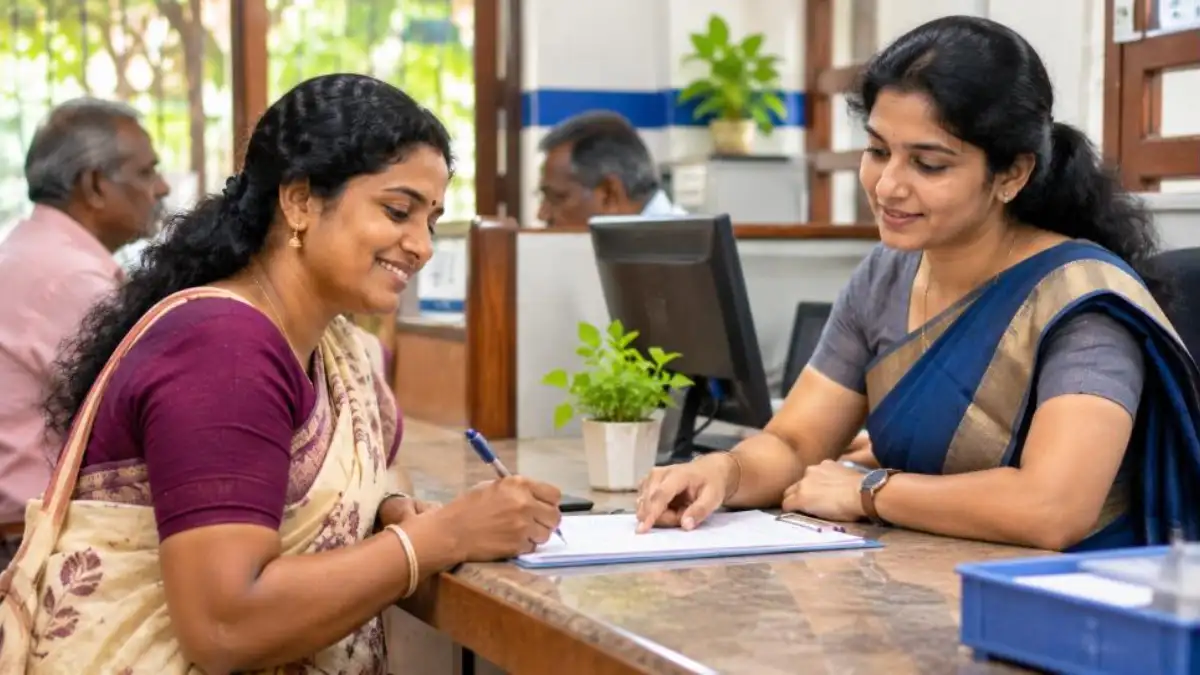
Whether you are opening your first bank account, helping a parent or a domestic worker get banked, or simply want to understand what your existing Jan Dhan account offers, this practical guide covers it all.
What Is a Jan Dhan Account?
A Jan Dhan account is a Basic Savings Bank Deposit (BSBD) account opened under PMJDY, the national mission for financial inclusion. It can be opened at any bank branch or through a Business Correspondent (Bank Mitra) outlet. There is no minimum balance requirement, and you earn interest on your deposits like any normal savings account.
The idea is that every household should have access to basic banking, credit, insurance and pension. That is why the Jan Dhan account comes bundled with a debit card and is linked to other government schemes.
Key Benefits of a Jan Dhan Account
| Benefit | Details |
|---|---|
| Zero balance | No minimum balance has to be maintained |
| Interest | Interest is paid on the deposit as per the bank’s savings rate |
| RuPay debit card | A free RuPay card is issued to the account holder |
| Accident insurance | Built-in accident cover of ₹2 lakh with the RuPay card for accounts opened after 28 August 2018 (₹1 lakh for older accounts) |
| Overdraft | Eligible account holders can get an overdraft of up to ₹10,000, subject to the bank’s conditions |
| DBT | Government benefits and subsidies can be credited directly |
| Other schemes | Gateway to PMJJBY, PMSBY, Atal Pension Yojana and MUDRA loans |
Who Can Open a Jan Dhan Account?
Any Indian citizen who does not already have a basic savings account can open a Jan Dhan account. The key eligibility points are:
- Indian citizen, typically aged 10 years or above.
- Minors aged 10 and above can open an account, usually operated with a guardian as per bank rules.
- You should not already hold another BSBD account in any bank, as only one basic savings account is generally allowed per person.
- Valid KYC documents, or a small account option for those without full documents.
People with an existing ordinary savings account can still ask their bank to convert it into a BSBD/Jan Dhan account if they want the zero-balance features.
Documents Required
Opening a Jan Dhan account needs very few documents. Any of the officially valid documents (OVDs) is enough:
- Aadhaar card (most common and fastest, as e-KYC can be done with biometrics).
- Voter ID card.
- Driving licence.
- Passport.
- Job card issued by NREGA signed by a State Government officer.
- Letter issued by the National Population Register containing name and address.
- One or two passport-size photographs, if the bank asks.
No documents? Small account option
If you have no officially valid document, banks can open a “small account” with a self-attested photograph and your signature or thumb impression in front of a bank official. Such accounts have limits on balance and transactions and are valid for a limited period, during which you should submit proper KYC.
How to Open a Jan Dhan Account: 6 Easy Steps
There is no fully online process for most banks, but the branch process is quick and free. Follow these steps:
Step 1: Visit a bank branch or Bank Mitra
Go to the nearest branch of any public sector or private bank, a regional rural bank, or a Business Correspondent (Bank Mitra) point in your village or ward.
Step 2: Ask for the PMJDY account opening form
Request the Jan Dhan account form. It is also available for download on the official PMJDY portal in English and Hindi.
Step 3: Fill in your details
Write your name, address, date of birth, occupation, annual income, number of dependants, nominee details and mobile number. Mention if you already have any bank account.
Step 4: Attach KYC and photo
Attach a copy of your Aadhaar or other valid document and a photograph. With Aadhaar, the bank can complete e-KYC by fingerprint or OTP.
Step 5: Submit and verify
Hand over the form to the bank official, who checks it and completes KYC. Sign or put your thumb impression where required.
Step 6: Collect passbook and RuPay card
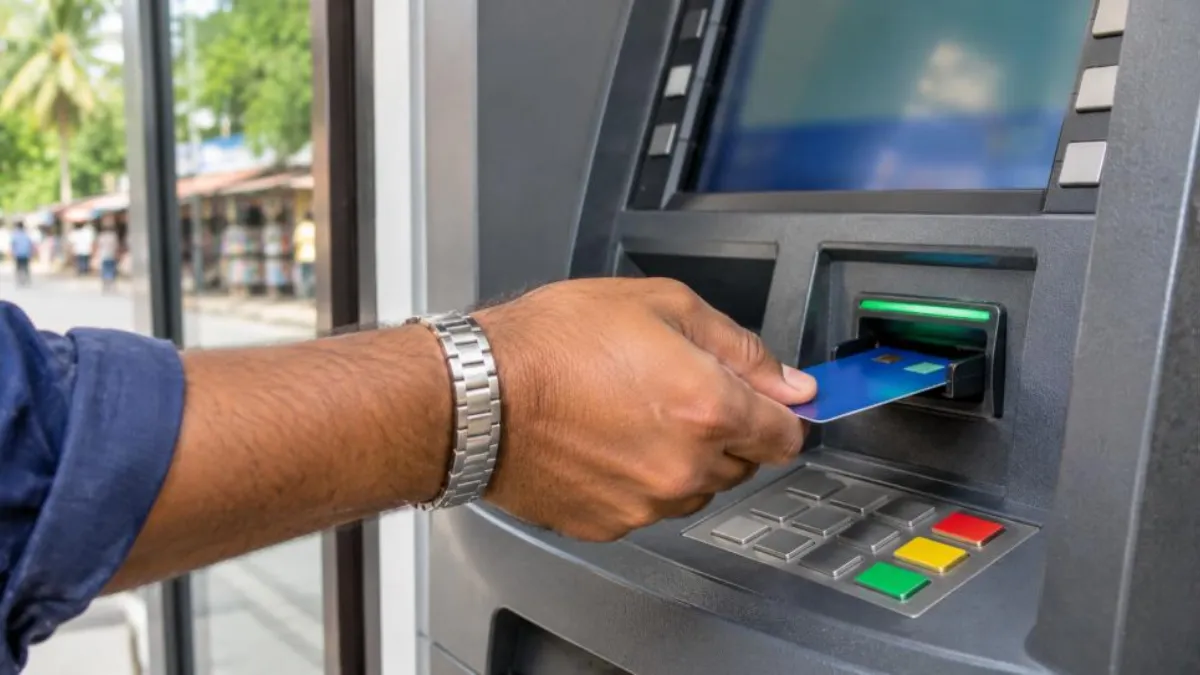
You receive your account number and passbook, often the same day. The RuPay debit card is issued or sent later. Activate the card and set a PIN at the ATM or as guided by the bank.
Jan Dhan Account Accident Insurance: How to Claim
The accident insurance linked to the RuPay card is one of the most valuable but least known features of a Jan Dhan account. To keep the cover active, the card should be used for at least one successful transaction within the period specified by the scheme rules, typically 90 days before the accident.
In case of the account holder’s accidental death or permanent disability, the nominee or family should:
- Inform the bank branch where the account is held as soon as possible.
- Collect the claim form from the branch or the insurer.
- Submit the form with the death certificate, FIR or police report, post-mortem report, the account holder’s and nominee’s KYC, and other documents the bank requests.
- The bank forwards the claim to the insurer, and the amount is paid into the nominee’s account after verification.
Overdraft Facility
An overdraft is a small short-term credit you can draw even when your balance is low. In a Jan Dhan account, the overdraft of up to ₹10,000 is available to eligible holders who maintain the account satisfactorily and meet the bank’s age and other conditions. Ask your branch about eligibility. Use it only for genuine needs, because the overdraft carries interest and must be repaid.
How to Check Your Jan Dhan Account Balance
You can check the balance of your Jan Dhan account in several easy ways:
- Missed call or SMS: Most banks have a missed call balance enquiry number for registered mobiles.
- ATM: Use your RuPay card at any ATM to view the balance.
- Passbook: Update the passbook at the branch or a passbook printing kiosk.
- UPI apps: Link the account in BHIM or any UPI app and check the balance with your UPI PIN.
- *99# USSD: Dial *99# from your registered mobile, even without internet, and follow the menu.
- Bank Mitra: Business correspondents can tell you the balance using Aadhaar authentication.
Link Your Jan Dhan Account With Other Schemes
Once you have a Jan Dhan account, you can enrol for low-cost social security schemes with an auto-debit from the account:
- PMSBY: Accident insurance; see our guide on PM Suraksha Bima Yojana.
- PMJJBY: Life insurance for eligible age groups.
- Atal Pension Yojana: Guaranteed pension after 60; read our Atal Pension Yojana registration guide.
- DBT: Seed Aadhaar to the account so LPG subsidy, scholarships and pensions are credited directly.
Jan Dhan Account vs Regular Savings Account
Many people wonder whether to open a Jan Dhan account or a normal savings account. The table compares the two in simple terms.
| Feature | Jan Dhan (BSBD) account | Regular savings account |
|---|---|---|
| Minimum balance | None | Usually required, with charges if not maintained |
| Debit card | Free RuPay card | Card may carry annual fees |
| Accident cover with card | Built in | Depends on card variant |
| Overdraft | Up to ₹10,000 for eligible holders | Not usually offered |
| Withdrawals and deposits | Free basic transactions with some limits set by RBI rules for BSBD accounts | Wider features, cheque books, higher limits |
| Best for | First-time users, low-income households, DBT receipts | Salaried people and frequent users of banking services |
If your needs grow later, you can always ask the bank to upgrade your Jan Dhan account to a regular savings account.
Inactive or Dormant Account? How to Reactivate
A savings account becomes inactive if there are no customer-initiated transactions for a long period, and after two years it may be classified as dormant. This often happens with Jan Dhan accounts opened years ago and never used. Benefits like DBT may still be credited, but you might not be able to withdraw until the account is reactivated.
To reactivate, visit the home branch or, in many banks, any branch, with your Aadhaar or other KYC document. Fill in the reactivation or re-KYC form, and make a small deposit or withdrawal. The account is usually active again the same day. Interest continues to be credited on dormant accounts, so your money is never lost.
Re-KYC: Keep Your Account Updated
Banks ask customers to update KYC periodically. If you receive a message from your bank about re-KYC, complete it at the branch, through a Bank Mitra or, where available, through the bank’s app or video KYC. Always verify that the message came from your bank’s official number, because fraudsters often send fake re-KYC links.
Protect Your Account From Fraud
Jan Dhan account holders are often targeted by scammers because many are new to banking. Follow these rules to stay safe:
- Never share your ATM PIN, UPI PIN or OTP with anyone, including people claiming to be bank staff.
- Do not lend or sell your account, card or passbook to anyone. Allowing others to use your account for their money transfers can make you part of a crime, even if you did not know.
- Ignore calls promising government money in exchange for a “processing fee”.
- Report a lost RuPay card immediately to block it.
- Report fraud to the cyber crime helpline 1930 or cybercrime.gov.in, and inform your bank at once.
Real-Life Examples
Lakshmi, a domestic worker in Kochi: Lakshmi had always kept cash at home. Her employer helped her open a Jan Dhan account at the nearby bank using only her Aadhaar. Now her salary is credited directly, she uses the RuPay card at the ATM, and her ration subsidy and welfare pension come to the same account.
Ravi, a farm labourer: Ravi’s Jan Dhan account was opened in 2015 but he never used it. When his MGNREGA wages were credited, he could not withdraw because the account had become dormant. He visited the branch with his Aadhaar, completed re-KYC and made a small deposit. The account was reactivated within an hour.
A family’s insurance claim: When the account holder of a Jan Dhan account died in a road accident, his wife, the nominee, informed the bank. She submitted the claim form with the required documents, and the accident insurance amount was credited to her account after verification. This shows why it matters to use the RuPay card at least occasionally and keep nominee details updated.
Tips for Elderly and First-Time Users
- Register your mobile number so you get SMS alerts for every transaction.
- Keep the passbook and card in separate safe places.
- Write down the bank’s customer care number in your diary.
- Ask a trusted family member, not a stranger at the ATM, for help with your first few transactions.
- Add a nominee so your family can claim the money and insurance easily.
- Use the card for a small transaction every few weeks to keep it and the insurance cover active.
Using Your RuPay Card and UPI Safely
Your RuPay debit card works at ATMs, shops with card machines and many online payment pages. When you first receive it, change the PIN to a number only you know. Cover the keypad with your hand while typing the PIN, and never let a shopkeeper take the card out of your sight.
You can also link the account to a UPI app such as BHIM. UPI lets you send money, pay shops by scanning a QR code and check the balance from your phone. Set a UPI PIN that is different from your ATM PIN. Remember that you never need to enter your UPI PIN to receive money; if someone asks you to “enter PIN to receive”, it is a scam.
What a Bank Mitra Can Do for You
A Bank Mitra, or Business Correspondent, is an agent appointed by the bank who runs a small banking point in villages and urban neighbourhoods. With a fingerprint scanner and a small device, a Bank Mitra can help you:
- Open a new basic savings account with Aadhaar-based e-KYC.
- Deposit and withdraw small amounts of cash.
- Check your balance and get a mini statement.
- Transfer money to another account.
- Enrol in insurance and pension schemes.
Bank Mitras are especially useful for elderly people and those who live far from a branch. Always ask for a printed or SMS receipt for every cash transaction and check the amount before leaving.
Nominee: The Most Ignored Step
Many accounts are opened without a nominee, which later makes it difficult for families to claim the balance or insurance. Adding a nominee takes only a simple form at the branch. Choose a trusted family member, write their name and relationship clearly and keep the acknowledgement. Review the nominee whenever there is a major change in your family, such as marriage or the death of the existing nominee.
Frequently Asked Questions
Is a Jan Dhan account really zero balance?
Yes. There is no minimum balance requirement, and no penalty is charged for keeping a low or nil balance.
Can I open a Jan Dhan account online?
Most banks require a branch or Bank Mitra visit for PMJDY accounts. Some banks offer digital basic savings accounts with video KYC; check your bank’s website.
How much insurance does a Jan Dhan account give?
The RuPay card linked to accounts opened after 28 August 2018 carries accident cover of ₹2 lakh. Older accounts have ₹1 lakh cover, subject to the scheme conditions.
Can I have two Jan Dhan accounts?
No. A person is generally allowed only one basic savings bank deposit account across banks.
Who can get the ₹10,000 overdraft?
Eligible account holders who have operated the account satisfactorily and meet the bank’s age and other criteria. The bank decides based on its rules.
Is there a limit on transactions?
Basic savings accounts follow RBI rules on free withdrawals and may have limits. Ask your bank about the current free transaction limits.
How do I close a Jan Dhan account?
Visit the branch, submit an account closure form, return the RuPay card and unused documents, and withdraw the balance or transfer it.

Before you leave the branch after opening the account, check three things on the passbook: the spelling of your name, the account number and the IFSC of the branch. Share these details, not your card or PIN, with your employer or the department that pays your benefits. Correct errors immediately, because a wrong letter in the name can cause DBT credits to fail later.
Conclusion
A Jan Dhan account offers zero-balance banking, a free RuPay card, built-in accident insurance, a small overdraft and direct access to government benefits, all with very simple documentation. Open one at any bank branch or Bank Mitra in six easy steps, link your Aadhaar and mobile number, add a nominee and keep the card active. Used well, your Jan Dhan account becomes the foundation for savings, insurance and pension for your entire family.