
 by
by Quick Summary: You can access your Digital Driving Licence online through official platforms such as DigiLocker and mParivahan. Both platforms connect with government transport records and allow citizens to access their driving licence digitally. DigiLocker also provides authentic digital documents that can be stored, shared and verified electronically.
What Is a Digital Driving Licence?
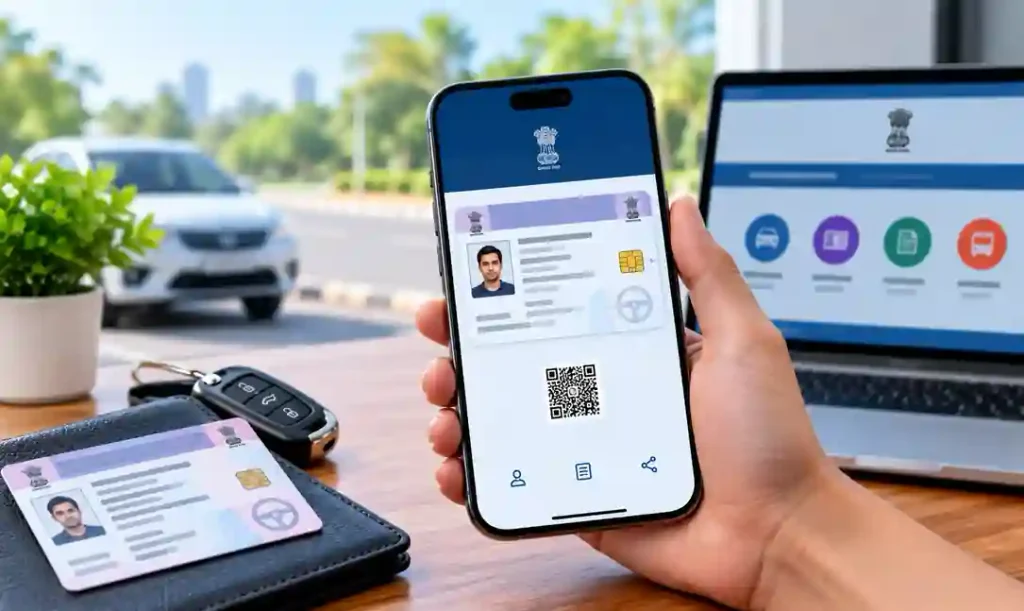
A Digital Driving Licence is an electronic version of your driving licence that can be accessed through government-supported digital platforms. Instead of carrying your physical licence everywhere, you can access your licence information using DigiLocker or mParivahan on your smartphone.
The Ministry of Road Transport and Highways (MoRTH) has provided facilities for accessing virtual Driving Licences through mParivahan, while DigiLocker provides access to authentic digital documents issued or made available by government authorities.
How to Download Digital Driving Licence Using DigiLocker
Step 1: Open DigiLocker
Visit the official DigiLocker website or open the DigiLocker mobile app. You need to sign in using your registered mobile number or other supported authentication method.
🔐 Open Official DigiLocker:
📄 Visit DigiLocker Official Portal
Download DigiLocker for Android
📱 Download DigiLocker App on Android
Download DigiLocker for iPhone
🍎 Download DigiLocker App for iPhone
Step 2: Sign In to Your Account
Enter your registered mobile number and complete the OTP verification. If you do not have a DigiLocker account, create one and complete the required verification process.
Step 3: Search for Driving Licence
After logging in, select Search Documents or the relevant document search option. Search for Driving Licence and select the Ministry of Road Transport and Highways (MoRTH) as the issuing authority.
Step 4: Enter Your Driving Licence Number
Enter your Driving Licence Number and the other information requested by DigiLocker. The details should match the records available with the transport authority.
DigiLocker has specifically identified Driving Licence among the transport documents available through its platform.
Step 5: Get Your Digital Licence
After successful verification, your Driving Licence should appear in the Issued Documents section if the record is available. You can open the document whenever required and use DigiLocker’s sharing and verification features.
Step 6: Save or Share the Document
You can access the digital document from DigiLocker whenever needed. DigiLocker is designed for storing, sharing and verifying authentic digital documents electronically.
How to Get Digital Driving Licence in mParivahan
You can also use the official NextGen mParivahan platform to access your virtual Driving Licence.
Step 1: Open mParivahan
📱 Android:
🚗 Download mParivahan App on Android
🍎 iPhone:
🍎 Download NextGen mParivahan for iPhone
Install the official mParivahan application on your Android or iPhone. The platform provides access to virtual DL and other vehicle-related services.
Step 2: Enter Your Driving Licence Details
Open the app and select the Driving Licence-related service. Enter your licence number and the required details.
Step 3: Verify Your Information
Complete the requested verification process. mParivahan connects with the National Transport Register to provide updated information relating to Driving Licences and other transport documents.
Step 4: Access Your Virtual DL
Once your details are verified, your virtual Driving Licence can be accessed through the app. You can show the digital licence when required.
Download DigiLocker App
📱 Android:
Download DigiLocker for Android
🍎 iPhone:
Download DigiLocker for iPhone
Download mParivahan App
📱 Android:
Download mParivahan for Android
🍎 iPhone:
Download mParivahan for iPhone
Official government sources identify both DigiLocker and mParivahan as platforms through which citizens can access digital/virtual Driving Licence records.
Is Digital Driving Licence Valid?
Government documentation states that Driving Licences available through DigiLocker and mParivahan can be accepted as legally valid electronic documents. MoRTH has also communicated acceptance of documents presented through these platforms.
However, make sure you access the licence through the official app or platform and that the digital record belongs to you.
What If Digital Driving Licence Is Not Showing?
If your Driving Licence is not appearing, check the following:
- Enter the correct Driving Licence number.
- Check whether your personal details match the transport records.
- Try both DigiLocker and mParivahan.
- Make sure you are using the official applications.
- If the record still cannot be retrieved, contact the concerned RTO or transport authority.
DigiLocker has also noted that document retrieval can depend on matching identity information with the issuing record.
Frequently Asked Questions
Can I download my Driving Licence online?
Yes. You can access your digital Driving Licence through official platforms such as DigiLocker and mParivahan.
Is DigiLocker Driving Licence valid?
Government-issued digital documents available through DigiLocker are intended to be legally acceptable electronic documents, subject to the applicable rules and verification process.
Can I use mParivahan instead of DigiLocker?
Yes. mParivahan provides a virtual Driving Licence facility connected with the transport database.
What details are required?
Generally, you need your Driving Licence number and the information requested for verification.
Final Words
Downloading a Digital Driving Licence online is now a simple and convenient process. With DigiLocker and mParivahan, you can access your licence digitally without depending only on the physical card. Keep the official apps installed and verify that your licence information is correctly displayed before using it for important purposes.
For more useful online government-service guides, visit RealWhile.
Suggested Internal Links:
Vehicle Ownership Transfer Online Kerala 2026: Easy & Complete Guide
Duplicate RC Book Online Kerala 2026 – Apply for Lost Vehicle RC Certificate Easily
Learner’s Test Online Kerala 2026: MVD LEADS Mock Test, Questions & Traffic Signs


