
 by
by 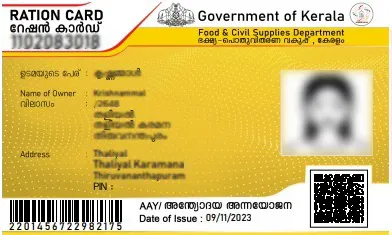
Ration cards are one of the most important documents for accessing government benefits and subsidies in Kerala. If your Ration Card Correction details—such as name spelling errors, wrong address, or outdated family member information—it can create problems while availing services. Thankfully, the Civil Supplies Department Kerala provides easy online options to correct and update your ration card details.
How to Update Your Ration Card Online in 2026: Add or Remove Family Members Easily
Managing your ration card has become much simpler with the growing availability of digital public services in India. Instead of making repeated visits to government offices, eligible beneficiaries can now complete several ration card-related tasks online, including adding a new family member, removing an existing member, checking ration card details, and updating their registered mobile number.
The One Nation One Ration Card (ONORC) initiative has played a major role in making ration services more accessible across the country. Through the official ONORC and Mera Ration platforms, users can view their ration card information, monitor transaction history, verify family member details, and submit certain update requests digitally.
What You Can Do Online
The available services may vary by state, but most beneficiaries can use online portals or official apps to:
- Check ration card details
- View family member information
- Add a new member to the ration card
- Remove an existing member
- Update the registered mobile number
- Check ration entitlement
- View transaction history
- Track application status
Who Can Apply for Updates?
You may need to update your ration card in situations such as:
- A child is born and needs to be added.
- A family member gets married and moves to another household.
- A family member passes away.
- Your registered mobile number has changed.
- Incorrect information needs correction.
Documents You May Need
Depending on the type of update, you may be asked to provide:
- Aadhaar Card
- Birth Certificate (for adding children)
- Proof of relationship
- Death Certificate (if applicable)
- Marriage-related documents (if applicable)
- Existing ration card details
- Aadhaar-linked mobile number
Steps to Apply Online
- Install the official ONORC or Mera Ration app.
🍎 Download Mera Ration App for iPhone
- Log in using your Aadhaar or ration card details.
- Open the ration card management section.
- Choose the required service.
- Enter the requested information.
- Upload supporting documents.
- Complete OTP verification if required.
- Submit the application.
- Track the application status online.
Advantages of Online Ration Card Services
- Saves time and travel.
- Reduces visits to government offices.
- Faster application processing.
- Easy status tracking.
- Improved transparency.
- Convenient access from anywhere in India.
Final Words
Digital ration card services have made updating family information faster and more convenient than ever before. Whether you need to add a new member, remove an existing one, or update your mobile number, the official online platforms provide a simple and transparent way to complete these tasks from home. Always use official government portals or apps and keep your documents ready before submitting your request.
Why Ration Card Correction Is Important
Incorrect details in your ration card can affect your eligibility for benefits and identification purposes. Keeping your information accurate ensures smooth access to government schemes.
Common corrections include:
- Name spelling mistakes
- Address changes
- Adding or removing family members
Types of Corrections You Can Do
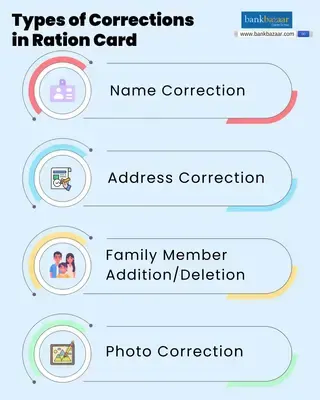
You can update various details in your ration card, such as:
- Name correction
- Address update
- Mobile number update
- Add new family member
- Remove existing member
- Change category (APL/BPL, if applicable)
Online Portal for Ration Card Services
The Kerala government offers online ration card services through the official portal of the Civil Supplies Department Kerala.
🔗 Official Website:
🍚 Visit Civil Supplies Kerala Portal
Using this portal, users can apply for corrections from home without visiting government offices in many cases.
Step-by-Step Guide to Apply Online
Step 1 – Visit Official Website
Go to the Civil Supplies Kerala official website.
Step 2 – Login/Register
Create an account or log in using your credentials.
Step 3 – Select Ration Card Services
Choose the option for correction or updating details.
Step 4 – Enter Details
Fill in the required changes such as:
- Name
- Address
- Family member details
Step 5 – Upload Documents
Upload supporting documents like:
- Aadhaar card
- Address proof
- Birth certificate (for adding members)
Step 6 – Submit Application
Review all details carefully and submit the form.
Step 7 – Note Application Number
Save the reference number for future tracking.
Offline Method (If Needed)
If you are unable to apply online, you can visit:
- Akshaya centres
- Taluk Supply Office
Submit the required forms and documents manually for correction.
Documents Required
Keep the following documents ready:
- Aadhaar card
- Existing ration card
- Address proof
- Supporting documents based on correction type
How to Track Application Status
- Visit the official portal
- Enter your application/reference number
- Check the current status of your request
Important Tips
- Double-check all details before submitting
- Upload clear and valid documents
- Keep your application number safe
- Use only the official website for applications
Benefits of Online Correction
- Saves time and effort
- No need for multiple office visits
- Easy status tracking
- Faster processing
Official Website
🍚 Visit Civil Supplies Kerala Portal
Final Thoughts
Updating your ration card details is essential to avoid issues in receiving government benefits. Even small errors can cause delays or rejection of services.
With the help of the Civil Supplies Department Kerala online portal, residents can now easily apply for corrections from home. Make sure your ration card information is always accurate and up to date for a hassle-free experience.


