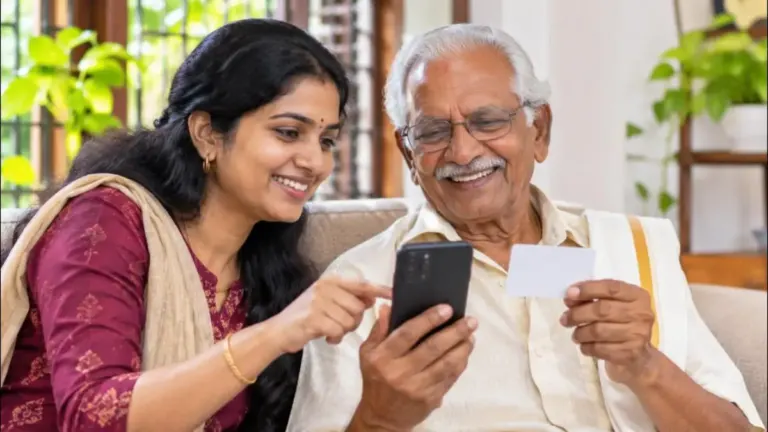
The New Aadhaar App 2026 is quickly becoming one of the most useful government applications for managing digital identity in India. UIDAI has introduced several features that make everyday Aadhaar services easier to access from a smartphone. Users can manage multiple Aadhaar profiles, update their address and mobile number, lock or unlock biometrics, download e-Aadhaar, check authentication history and securely share Aadhaar credentials.
The popularity of the application is also growing rapidly. UIDAI reported that the new Aadhaar App crossed 40 million downloads in July 2026, showing the strong interest among Aadhaar holders in managing their identity digitally.
What Is the New Aadhaar App?
The Aadhaar App is the official mobile application developed and managed by the Unique Identification Authority of India (UIDAI). It is available for Android and iOS devices and provides several Aadhaar-related services directly from a smartphone.
The application is designed around convenience, security and user control. Instead of depending on printed Aadhaar copies for every verification, eligible users can digitally access and share their Aadhaar information through supported services.
The app is also available in 13 languages, including Malayalam, Hindi, Tamil, Telugu, Kannada, Bengali, Gujarati, Marathi, Punjabi, Urdu, Assamese and Odia, along with English.
One Phone Can Manage Up to 5 Aadhaar Profiles
One of the most searched features of the new Aadhaar App is the ability to create multiple profiles. UIDAI officially confirms that an individual with a valid Aadhaar number can create up to five profiles in the application.
This can be particularly useful for families. Parents can manage eligible Aadhaar profiles for children, while family members can assist elderly people who may not regularly use smartphones.
However, adding another profile does not mean that the person’s Aadhaar can simply be accessed without verification. The required authentication process still applies to each profile.
How to Add a Family Aadhaar Profile
Open the Aadhaar App and select the option for adding another profile. Enter the Aadhaar number of the person whose profile you want to add and follow the authentication instructions displayed by the application.
For a minor below 18 years, UIDAI has a specific process. If the relationship between the child and guardian was established through biometric authentication during Aadhaar enrolment, the guardian can complete the required Face Authentication. If the child’s Mandatory Biometric Update has already been completed, the child can perform Face Authentication instead.
Aadhaar Address Update From Your Phone
Another highly useful feature is Aadhaar address update. UIDAI currently allows eligible users to update their address through the Aadhaar App using supporting documents.
To begin, open the application and log in using your six-digit PIN. Go to Services → Address Update, upload the required document in JPG, PNG or PDF format and enter the new address.
Before submitting, the app allows you to check the address in English and the selected local language. You then complete Face Authentication and pay the prescribed ₹75 fee. After submission, download the acknowledgement containing the Service Request Number (SRN) so that you can track the request.
Address Update Using a Family Member’s Aadhaar
The new Aadhaar App also supports an address update through the Head of Family (HoF) method. This can be useful when the applicant wants to use an eligible family member’s Aadhaar for address verification.
The applicant enters the family member’s Aadhaar number, selects the relationship and completes the required Face Authentication. After payment and submission, the request is sent to the Head of Family.
The Head of Family can then open their Aadhaar App, go to Services → Family Member Request, enter the SRN and approve the request. This provides another convenient way to handle supported family-based address updates digitally.
Mobile Number Update Through the Aadhaar App
The new Aadhaar App also supports mobile number updates. However, the process depends on whether the number used for registering the app is the same as the mobile number currently registered with Aadhaar.
If the app is registered using the existing Aadhaar-linked mobile number, the new number can be verified through OTP followed by Face Authentication and the applicable payment.
If the app is registered with a different number, UIDAI requires verification of both the old registered number and the new number, followed by Face Authentication and payment.
There is an important limitation. If you have never registered a mobile number with Aadhaar, you cannot complete the first-time registration through the app. UIDAI says you must visit an Aadhaar Seva Kendra or authorised Aadhaar enrolment/update centre.
Lock Aadhaar Biometrics With One Tap
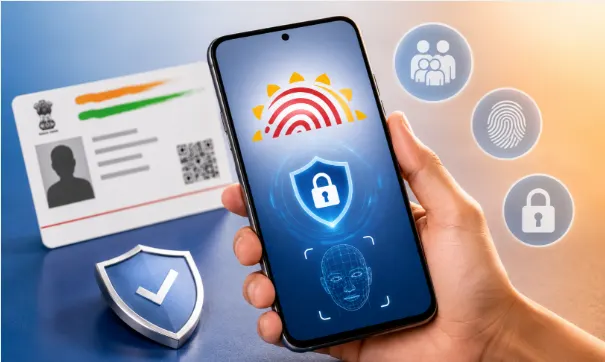
Security is another major focus of the UIDAI Aadhaar App. Users can lock and unlock their Aadhaar biometrics using the application.
When biometrics are locked, biometric-based authentication cannot be performed. UIDAI explains that the biometric lock covers fingerprint, iris and Face as biometric authentication modalities.
This feature is useful for people who want additional control over when their biometric information can be used. Users can unlock the biometrics when authentication is required and use the lock feature again afterwards.
Face Authentication Makes Registration Easier
Aadhaar Face Authentication is an important part of the new app’s registration process. According to UIDAI, users select their language, enter their Aadhaar number, accept the terms and privacy policy, choose the SIM card, complete Face Authentication and then set a six-digit PIN.
The use of Face Authentication adds an additional identity verification step during onboarding. It also makes the process more convenient for users who want to manage their Aadhaar profile directly from their smartphone.
Download e-Aadhaar and Check Authentication History
The application also provides access to e-Aadhaar download and Aadhaar authentication history. These features can be useful when you need a digital copy of your Aadhaar or want to review authentication activity associated with your identity.
The app also provides request tracking, allowing users to follow the status of supported Aadhaar service requests without repeatedly checking through different platforms.
Secure Aadhaar Sharing Without Carrying Photocopies
Another important feature is selective sharing of Aadhaar Verifiable Credentials. UIDAI says the Aadhaar App allows an Aadhaar Number Holder to securely share Aadhaar data with an Offline Verification Seeking Entity based on the user’s consent and choice.
This can reduce the need to hand over physical photocopies whenever identity verification is required. Instead, supported organizations can verify the information through the digital process provided by the application.
This privacy-focused approach is one of the important reasons why the new Aadhaar App is different from simply keeping a PDF copy of Aadhaar on your phone.
How to Download the New Aadhaar App
Android and iPhone users can download the official application through the Google Play Store or Apple App Store. UIDAI provides the official download links through its website.
Before installing, always verify that you are downloading the official UIDAI application. Avoid APK files, unofficial websites and apps with similar names because Aadhaar information is highly sensitive.
What Cannot Be Updated Through the Aadhaar App?
Although the application provides many useful services, not every Aadhaar update is currently available through the app.
UIDAI says name, gender, email and date-of-birth updates are currently not available through the Aadhaar App. Users requiring these changes may need to visit an Aadhaar Seva Kendra or Aadhaar enrolment/update centre.
Similarly, photo, fingerprint and iris updates cannot currently be completed through the app. These biometric updates require a visit to an Aadhaar Seva Kendra or authorised Aadhaar enrolment and update centre.
Is the New Aadhaar App Safe?
The new Aadhaar App has been designed with several privacy and security features. UIDAI highlights Face Authentication-based onboarding, consent-based selective sharing and biometric lock/unlock among the security-focused features of the application.
Users should still follow basic security precautions. Download the application only from official app stores, keep the six-digit PIN private and never share OTPs with unknown people.
It is also a good idea to keep your smartphone’s operating system and the Aadhaar App updated. These simple precautions can help protect access to your digital identity.
New Aadhaar App 2026: Frequently Asked Questions
Can I add 5 Aadhaar profiles to one phone?
Yes. UIDAI officially states that an individual with a valid Aadhaar number can create up to five profiles in the Aadhaar App.
Can I update my Aadhaar address through the app?
Yes. Address update is currently available through the Aadhaar App, subject to the required documents and authentication process.
Can I update my Aadhaar mobile number?
Yes. Mobile number update is available through the app in eligible situations. First-time mobile-number registration still requires a visit to an Aadhaar centre.
Can I lock my Aadhaar biometrics?
Yes. The app provides a one-click biometric lock and unlock facility.
Can I update my Aadhaar photo through the app?
No. Photo, fingerprint and iris updates currently require an Aadhaar Seva Kendra or authorised update centre.
Is the Aadhaar App available in Malayalam?
Yes. UIDAI says the application is available in 13 languages, including Malayalam.
Final Verdict
The new Aadhaar App 2026 is becoming an important digital identity tool for Indian citizens. Its biggest attractions are the ability to manage up to five Aadhaar profiles, update supported details, use Face Authentication, lock biometrics, download e-Aadhaar, check authentication history and share Aadhaar information digitally.
For families, the multiple-profile feature can save considerable time. Instead of managing separate Aadhaar applications or depending on printed copies, eligible family profiles can be managed from one smartphone.
With the application already crossing 40 million downloads, its adoption shows that mobile-based Aadhaar services are becoming increasingly popular.
If you have not yet tried the new UIDAI Aadhaar App, download the official version from the Play Store or App Store and explore the available services. Always use the official application and follow UIDAI’s latest instructions when making an important Aadhaar update.
Google Discover Tip
For this article, don’t stuff the title with every keyword. The stronger Discover approach is a clean headline such as “New Aadhaar App 2026: 5 Profiles, Address Update, Biometric Lock & More”, a high-quality 890×530 text-free featured image, a strong first paragraph, current official information, and short paragraphs. The current 40-million-download milestone is particularly useful as a timely hook because it gives the article a fresh 2026 angle rather than making it look like an evergreen Aadhaar guide.
Official source: UIDAI – Aadhaar App FAQs
- How to Register as a New Voter Using the ECINET App
- SSLC Certificate Correction Online Kerala 2026 – Apply Step by Step
- Digital India Mission: Amazing Guide to India’s Digital Future (2026)
- Latest UPI Rules 2026: Complete Guide to New NPCI Payment Updates