by
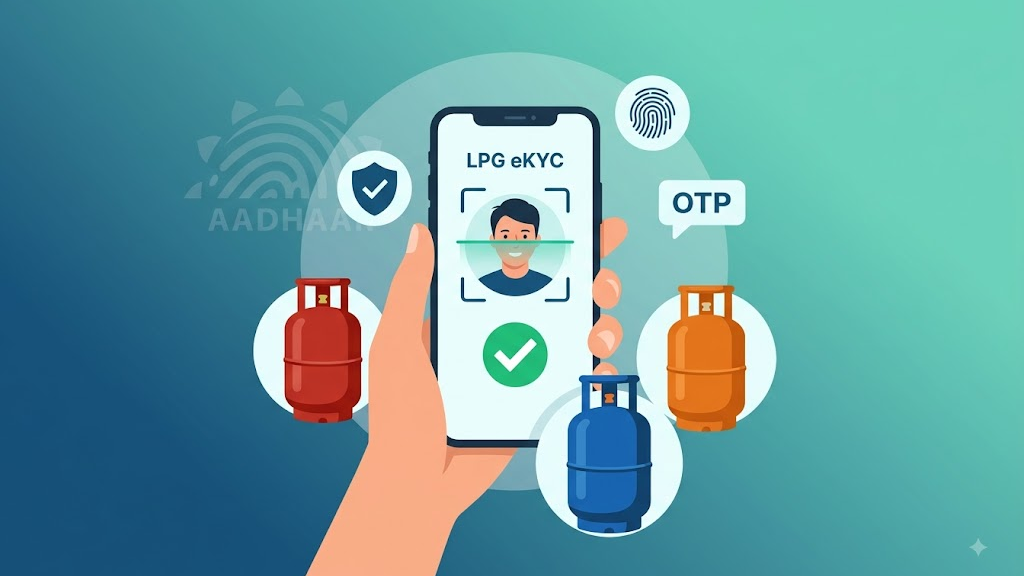
by LPG eKYC Online is the digital customer verification process for LPG connections through authorised oil company services. The three major public-sector LPG brands covered in this guide are Indane, Bharat Gas and HP Gas. The Government now provides a self-service route for face-based biometric Aadhaar authentication, using the respective oil company’s mobile app together with the Aadhaar FaceRD application.
Completing LPG eKYC has become essential for domestic consumers. The Ministry of Petroleum and Natural Gas has made biometric Aadhaar authentication mandatory to prevent misuse of connections and ensure that subsidies reach genuine beneficiaries. Consumers who do not complete eKYC may face disruption in cylinder refills and suspension of subsidies until verification is done.
The online process can save customers a visit to the LPG distributor when self-authentication is available for their connection. However, the exact screens and steps can vary between the three companies and between app versions. Therefore, customers should always use the official application published by the relevant oil company. Avoid unofficial APK files or websites that ask for Aadhaar OTPs, passwords or other sensitive information.
Can LPG eKYC Be Done From Home?
Yes. The official PMUY e-KYC page provides instructions for self face-based biometric Aadhaar authentication using the mobile app of the customer’s oil company along with Aadhaar FaceRD. This covers the LPG ecosystem for Indane, Bharat Gas and HP Gas.
This means eligible customers can complete the authentication process using a compatible smartphone without visiting the distributor. The availability of the option can still depend on the customer’s LPG account and the service flow shown by the oil company. If the option is unavailable, the customer should contact the authorised distributor or official customer support.
Why LPG eKYC is Important
LPG eKYC helps the government verify genuine users and avoid misuse of subsidies. It ensures that benefits reach the right consumers without delays.
In the past, cases of duplicate or inactive connections led to misuse of government benefits. With Aadhaar-based verification, the system can identify and remove such discrepancies more effectively. The verification process helps identify duplicate, inactive and ineligible connections, improving the efficiency of the subsidy system.
PMUY beneficiaries must complete biometric authentication at the start of every financial year before their first refill to continue receiving benefits.
What You Need for LPG eKYC
Before starting LPG KYC Online 2026, ensure you have the following ready:
- Aadhaar number linked with your LPG connection
- Registered mobile number that is linked with Aadhaar
- LPG Consumer ID (17-digit number or 16-digit LPG ID)
- Smartphone with a working front camera
- Stable internet connection
- Good lighting for the face scan – avoid wearing glasses during capture
For successful face capture, keep your complete face visible, look directly at the camera and remain still during capture. Good lighting is important, and hats, glasses or other coverings that obscure facial features should be removed when required.
Step-by-Step Guide for LPG eKYC
Follow these simple steps to complete LPG eKYC from home:
Step 1: Download the Required Apps
- Download your LPG provider’s official app from Google Play Store or Apple App Store
- Download the Aadhaar FaceRD app (official UIDAI app for face authentication)
- Aadhaar FaceRD is available on both Android and iOS platforms
Step 2: Register/Login to LPG App
- Open your gas provider’s app
- Log in using your registered mobile number and LPG Consumer ID
- Verify mobile number through OTP
Step 3: Access eKYC Option
- Navigate to the e-KYC or Aadhaar verification option in the app
- The option may be found in different sections:
- Indane Gas: Look for e-KYC in the My Profile section
- Bharat Gas: The option is available on the Homepage
- HP Gas: Find e-KYC in the LPG section of HP Pay app
Step 4: Enter Aadhaar Details
- Enter your Aadhaar number
- Read and accept the terms and conditions
- Provide consent for Aadhaar-based face authentication
Step 5: Complete Face Authentication
- The app will redirect you to the Aadhaar FaceRD app
- Tap on the Face Scan/Capture Face option
- Grant camera permissions
- Follow on-screen instructions to complete the face scan
- Position your face in the frame, ensure good lighting, and remain still
Step 6: Submit and Confirm
- After successful verification, you will receive confirmation on-screen and via SMS
- Your LPG account will be automatically updated with the completed eKYC status
Indane Gas eKYC Online
For Indane Gas eKYC, customers use the official IndianOil ONE application for IndianOil LPG services. IndianOil ONE lets customers manage their LPG connection, book cylinders, view booking history, change distributors, request a new LPG connection and raise service requests.
Steps for Indane Gas eKYC:
Android: IndianOil ONE on Google Play
iPhone/iPad: IndianOil ONE on the App Store
- Download IndianOil ONE app from official app stores
- Register using your mobile number
- Link your 16-digit LPG ID
- Open My Profile section
- Go to LPG details and select the e-KYC option
- Read and accept terms and conditions
- Complete Aadhaar face authentication
- Submit the request
IndianOil ONE is published by Indian Oil Corporation Limited and provides LPG account management and related services.
Bharat Gas eKYC Online
Bharat Gas eKYC Online can be accessed through the official Bharat Petroleum digital services. The Government’s PMUY website identifies Hello BPCL (also known as HelloBPCL for Business) as the customer app for Bharatgas.
Steps for Bharat Gas eKYC:
Android: Hello BPCL on Google Play
- Download the Hello BPCL app from official app stores
- Register your account
- Select the e-KYC option
- Verify your mobile number through OTP
- Accept the terms and conditions
- Complete the verification process
The HelloBPCL app provides Bharatgas services including LPG cylinder booking, payment, booking history, distributor changes, emergency help, mechanic requests and eKYC.
HP Gas eKYC Online
HP Gas eKYC Online is supported through HPCL’s digital LPG services. The official HP PAY application provides HP Gas account management, new LPG connection requests, cylinder booking and payment, and several LPG service options.
Steps for HP Gas eKYC:
Android: HP PAY on Google Play
iPhone: HP PAY on the App Store
- Download the HP Pay app from official app stores
- Register using the mobile number linked to your LPG account
- Verify OTP and create an MPIN
- Open the LPG section under MY HP
- Select the e-KYC option
- Complete face verification process
HP PAY is published by Hindustan Petroleum Corporation Limited and includes HP Gas account management and LPG services.
How Aadhaar App Authentication Works
Aadhaar App Authentication is a 1:1 verification process. UIDAI explains that the face captured during authentication is matched with the facial biometric associated with the particular Aadhaar number. It is a consent-based authentication method and can provide a contactless alternative to fingerprint or iris authentication.
For successful face capture, UIDAI recommends keeping the complete face visible, looking directly at the camera and remaining still during capture. Good lighting is important, and hats, glasses or other coverings that obscure facial features should be removed when required.
What If LPG eKYC Fails?
If LPG eKYC is not working, follow these steps:
- Check app versions: Ensure the relevant oil company app and Aadhaar FaceRD are updated to the latest versions
- Verify camera and lighting: Check that your camera works and you are in a well-lit area
- Check internet connection: Ensure you have a stable internet connection
- Verify device compatibility: Ensure your smartphone meets the necessary specifications for face authentication
- Review face positioning: Ensure your complete face is visible and remove glasses if required
When face authentication fails repeatedly, an error code is displayed. Contact the concerned service provider with that code for resolution.
Offline Options Available
If you face issues with online authentication, you can complete eKYC offline:
- Visit your nearest LPG distributor and complete Aadhaar-based verification
- Complete eKYC through the LPG delivery person during cylinder delivery (available for Indane customers)
Important Deadlines and Alerts
Reports indicate that LPG consumers have been receiving alerts to complete eKYC by August 16, 2026. Indane customers have been receiving messages requesting completion of the process by this date. While no official notification has confirmed this as a final deadline, consumers are advised to complete pending eKYC promptly to avoid any inconvenience related to subsidy-linked services.
Once completed, eKYC is generally valid for one financial year, after which it may need to be updated again in certain cases.
Important Safety Tips
Be cautious of scams related to LPG eKYC:
- Never click on unknown SMS or WhatsApp links claiming to help with LPG eKYC
- Never share your Aadhaar OTP, UPI PIN, ATM PIN, or banking password with anyone
- Never install unofficial APK files or apps from unverified sources
- Download apps only from official app stores (Google Play Store or Apple App Store)
- Check developer name before downloading – verify it matches the official oil company
Frequently Asked Questions
What is LPG eKYC?
It is the digital KYC and Aadhaar authentication process available for eligible LPG customers through authorised oil company services.
Can Indane, Bharat Gas and HP Gas eKYC be done from home?
Yes. The Government’s PMUY e-KYC page currently provides a self face-based biometric Aadhaar authentication process using the relevant oil company app along with Aadhaar FaceRD.
Which app is used for Indane Gas eKYC?
IndianOil ONE is the official IndianOil customer app for LPG services.
Which app is used for Bharat Gas eKYC?
HelloBPCL (HelloBPCL for Business) is the official Bharat Petroleum customer app, and its current listing includes Bharatgas eKYC.
Which app is used for HP Gas eKYC?
HP PAY is the official HPCL app for HP Gas and other HPCL services.
Is Aadhaar FaceRD required for LPG eKYC?
Yes. For the self face-based biometric Aadhaar authentication workflow, the oil company app is used together with Aadhaar FaceRD.
Is Aadhaar FaceRD available for iPhone?
Yes. An official Aadhaar FaceRD listing is available on Apple’s App Store, with UIDAI identified as the developer.
What should I do if face authentication fails?
Check lighting, camera positioning, device compatibility and app versions. If an error code continues to appear, contact the concerned service provider with the error code.
Is LPG eKYC free?
Yes. Oil marketing companies do not charge any fee for eKYC verification.
Who must complete LPG eKYC?
The requirement applies to LPG consumers whose eKYC is still pending. PMUY beneficiaries must complete biometric authentication once every financial year.
Official App Download Links
Use Aadhaar Face Authentication with the official LPG app to complete supported eKYC services.
Official Apps Summary
| Gas Provider | Official App | Available On |
|---|---|---|
| Indane Gas | IndianOil ONE | Android & iOS |
| Bharat Gas | HelloBPCL / HelloBPCL for Business | Android & iOS |
| HP Gas | HP PAY | Android & iOS |
| Aadhaar Authentication | Aadhaar FaceRD | Android & iOS |
Download only from official app stores and verify the developer name before installation.
Conclusion
LPG eKYC Online has become more convenient with the availability of digital authentication services for Indane, Bharat Gas and HP Gas customers. The Government’s official e-KYC page now provides a self face-based biometric Aadhaar authentication route using the relevant oil company’s mobile application together with Aadhaar FaceRD.
Indane customers can use IndianOil ONE, Bharat Gas customers can use HelloBPCL, and HP Gas customers can use HP PAY for their respective LPG services. For face authentication, UIDAI’s official FaceRD application is required as part of the supported workflow.
Always download these applications from official app stores, check the developer name, and never share OTPs or confidential Aadhaar information with unknown persons. Complete your eKYC promptly to ensure uninterrupted LPG subsidy benefits and hassle-free cylinder bookings.
LPG eKYC Online: Official App Links
For safety, download LPG applications only from recognised app stores and verify the developer name before installing.
Indane Gas
IndianOil ONE – Android: Download from Google Play
IndianOil ONE – Apple: Download from the App Store
Bharat Gas
Hello BPCL – Android: Download from Google Play
HP Gas
HP PAY – Android: Download from Google Play
HP PAY – Apple: Download from the App Store
Aadhaar Face Authentication
Aadhaar FaceRD – Android: Download from Google Play
For official Aadhaar services, consumers should rely on UIDAI’s official website and app-store listings rather than links shared through social media or unknown websites.