
 by
by 
Typing long messages, emails, or notes on a smartphone or laptop can feel slow and tiring. Whether you’re replying to chats or writing detailed content, using a keyboard all the time takes effort and time.
But what if you could simply speak and see your words appear instantly on the screen?
That’s exactly what modern AI tools are making possible. With a voice typing app, you can convert your speech into accurate text in seconds—no keyboard needed. It’s a smarter, faster, and more comfortable way to communicate in today’s digital world.
A Smarter Way to Type
Traditional typing hasn’t changed much over the years, but the way we interact with technology is evolving quickly. AI-powered voice typing apps are transforming how people write on their devices.
Instead of typing every word manually, you can now just talk naturally. The app listens to your voice and converts it into clean, readable text. This makes writing messages, emails, or even long documents much faster and easier.
What Is a Voice Typing App?
A voice typing app is a speech-to-text tool that converts spoken words into written text instantly.
Modern AI-powered apps go beyond basic transcription. They can:
- Add punctuation automatically
- Correct grammar mistakes
- Format sentences properly
This means the text you get looks natural and ready to use—without extra editing.
One such example is Wispr Flow, which uses advanced AI to make voice typing simple and effective across devices.
How This AI App Works

Apps like Wispr Flow use powerful AI technology to process your speech in real time.
Here’s how it works:
- The app listens to your voice through the microphone
- It understands your words using AI language models
- It converts them into clear, structured text instantly
The best part is—you don’t need to speak like a robot. Just talk naturally, and the app will handle the rest.
Key Features
1. Real-Time Voice to Text
As you speak, your words appear instantly on the screen without delay.
2. Automatic Grammar Correction
The app improves sentence structure and fixes small mistakes automatically.
3. Works Across Apps
You can use it in messaging apps, emails, browsers, and note-taking apps without switching tools.
4. Saves Time
Voice typing is much faster than manual typing, especially for long content.
5. Easy for Everyone
No technical knowledge is needed—just speak and let the app do the work.
How to Use
Getting started with a voice typing app is very simple:
Step 1 – Install the App
Download from official sources:
Android:
iPhone:
🍎 Download Wispr Flow for iPhone
Windows:
💻 Download Wispr Flow for Windows
Step 2 – Enable Permissions
Allow microphone access so the app can hear your voice.
Step 3 – Start Speaking
Open any app like WhatsApp, email, or notes and begin speaking naturally.
Step 4 – Get Instant Output
Your speech will be converted into clear, readable text instantly.
Who Should Use Voice Typing?
Voice typing apps are useful for a wide range of users:
- Students writing notes quickly
- Content creators drafting ideas
- Bloggers creating articles
- Office workers writing emails and reports
- Anyone who prefers speaking over typing
If you feel typing is slow or uncomfortable, this tool can make your work much easier.
Benefits of Using Voice Instead of Typing
Using a voice typing app offers many advantages:
- Faster communication
- Less effort compared to typing
- Helps with multitasking
- Reduces typing errors
- More comfortable for long writing tasks
It’s especially helpful when you need to write quickly without spending too much time on a keyboard.
Install the App
Android:
iPhone:
🍎 Download Wispr Flow for iPhone
Windows:
💻 Download Wispr Flow for Windows
Final Thoughts
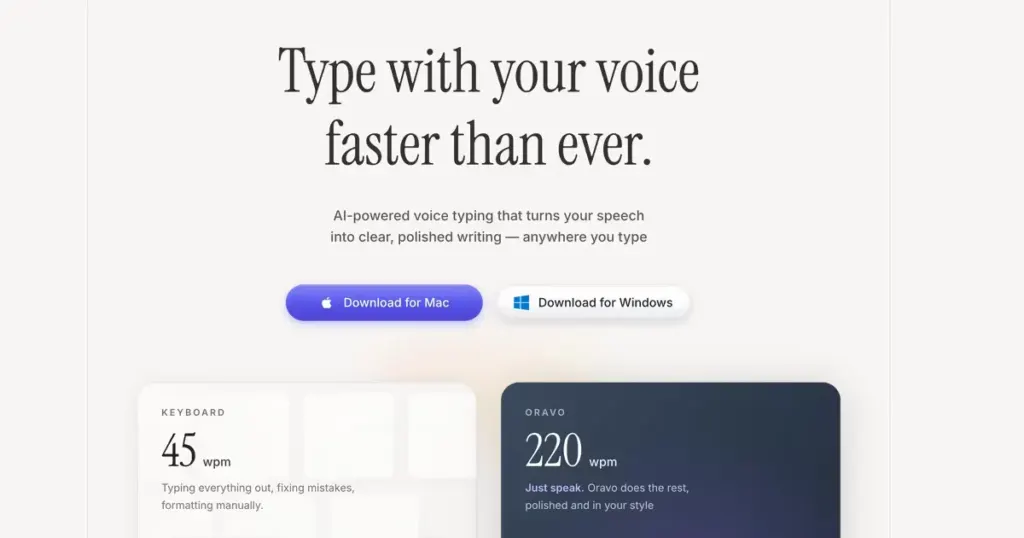
Voice typing is quickly becoming a powerful alternative to traditional typing. As AI continues to improve, speaking to your device is becoming more natural and efficient than ever before.
With tools like Wispr Flow, you can turn your voice into text instantly and simplify your daily tasks.
In the near future, voice-based typing may become the most common way people write on their phones and computers—making communication faster, smarter, and more convenient for everyone.


