 by
PF withdrawal online is now the fastest way to take money out of your Employees’ Provident Fund account, and in 2026 the rules have changed in a big way. The new EPF Scheme, 2026 replaced the old EPF Scheme, 1952 and came into effect on 29 June 2026. It simplified partial withdrawals, cut the waiting period for most purposes to 12 months of membership and added a new rule that 25% of your balance must stay in the account. This guide explains the full PF withdrawal online process in 7 easy steps, the new limits, the documents you need and the mistakes that get claims rejected.

Whether you need money for a medical emergency, your child’s education, a wedding, a home or because you have left your job, you can file the claim from your phone or laptop without visiting an EPFO office. Read the eligibility section first, because most rejections happen when KYC details are incomplete.
What Is PF Withdrawal Online?
PF withdrawal online means submitting your EPF claim through the EPFO Member e-Sewa portal or the UMANG app using your Universal Account Number (UAN). Instead of filling paper forms and getting your employer’s signature, you authenticate the claim with an Aadhaar OTP. The money is credited directly to the bank account seeded with your UAN.
There are two broad types of claims. A partial withdrawal (also called an advance) lets you take out part of your balance while you are still a member, for purposes like illness, education, marriage or housing. A final settlement lets you withdraw your full balance when you leave service, retire or meet another exit condition. Both can be filed as a PF withdrawal online request.
New EPF Scheme 2026: What Changed for PF Withdrawal Online
The Centre notified the Employees’ Provident Fund Scheme, 2026 as part of implementing the Code on Social Security, 2020. For anyone planning a PF withdrawal online, these are the changes that matter most:
- 12 months membership: Most partial withdrawals are now allowed after completing 12 months of EPF membership. Earlier, some purposes needed 5 to 7 years of service.
- 25% minimum balance: You must keep at least 25% of your PF balance in the account after any partial withdrawal. This includes employee share, employer share and interest.
- Eligible member balance: The amount you can withdraw is calculated after deducting the compulsory 25%.
- Simpler categories: The many separate withdrawal provisions were merged into three groups: essential needs, housing needs and special circumstances.
- KYC is compulsory: Members must furnish Aadhaar, PAN and an Aadhaar-seeded bank account so claims can be processed digitally.
In simple terms, a PF withdrawal online request in 2026 is easier to qualify for, but you cannot empty the account completely while you are still working. That protects your retirement savings, which continue to earn interest.
PF Withdrawal Online Limits in 2026 (Quick Table)
The table below summarises the partial withdrawal limits under the new scheme as reported after notification. Always confirm the final amount shown on the portal, because the system calculates it from your actual eligible balance.
| Purpose | Maximum amount | How many times | Minimum membership |
|---|---|---|---|
| Medical treatment (self or family) | Up to 100% of eligible balance | As needed | 12 months |
| Education (self or children) | Up to 100% of eligible balance | Up to 10 times | 12 months |
| Marriage (self, children, siblings) | Up to 100% of eligible balance | Up to 5 times | 12 months |
| Housing (buy, build, repay loan, renovate) | Up to 100% of eligible balance | Up to 5 times | 12 months |
| Special circumstances | Up to 100% of eligible balance | Twice per financial year | 12 months |
Example: If your total PF balance is ₹4,00,000, you must keep ₹1,00,000 (25%) in the account. Your eligible member balance is ₹3,00,000, and that is the most a PF withdrawal online claim for these purposes can pay you.
Eligibility Checklist Before You Apply
Before you start a PF withdrawal online claim, make sure every item on this checklist is ready. A single missing detail is the most common reason a claim gets stuck or rejected.
- Your UAN is activated and you know the password. If not, follow our guide on UAN activation using UMANG face scan.
- Aadhaar is linked and verified against your UAN, and the mobile number on Aadhaar is active for OTP.
- Your bank account and IFSC are seeded and approved in KYC.
- PAN is linked, especially if your service is less than 5 years and the amount is above ₹50,000.
- Your name, date of birth and gender match exactly in Aadhaar and EPFO records.
- The current employer has marked your date of joining, and the date of exit is updated if you are filing a final settlement.
- You have completed 12 months of membership for most partial withdrawal purposes.
You can also check your balance before you apply, so you know your likely eligible amount. Our article on EPF balance check by missed call, SMS and app shows the quickest ways.
Documents Needed for PF Withdrawal Online
The beauty of a PF withdrawal online claim is that most purposes now need little or no paper proof. However, keep these ready in case the portal asks for them:
- A clear photo or scan of a cancelled cheque or the first page of your bank passbook showing your name, account number and IFSC.
- Form 15G (below 60 years) or Form 15H (60 years and above) if you are eligible to avoid TDS on a final settlement.
- For housing claims, basic details of the property or loan may be requested.
- Your Aadhaar-linked mobile phone for the OTP.
PF Withdrawal Online: 7 Easy Steps on the EPFO Portal
Follow these steps carefully. The whole PF withdrawal online process usually takes about 10 minutes if your KYC is complete.
Step 1: Log in to the Member e-Sewa portal
Open the official EPFO Member e-Sewa portal. Enter your UAN, password and captcha. Some logins also send an OTP to your registered mobile number.
Step 2: Verify your KYC and profile
Go to the Manage menu and open KYC. Confirm that Aadhaar, PAN and bank details show as verified. Then check Basic Details to make sure your name and date of birth match Aadhaar exactly.
Step 3: Open the claim form
Click Online Services and choose Claim (Form-31, 19, 10C & 10D). This single online form handles partial withdrawal, final PF settlement and pension withdrawal.
Step 4: Verify your bank account
The portal shows your seeded bank account. Enter the last digits of the account number when asked and click Verify. Accept the certificate of undertaking that appears.
Step 5: Select the claim type and purpose
Click Proceed for Online Claim. In the drop-down, choose the type of claim you want. For an advance, select the purpose, enter the amount within the limit shown and type your current address.
Step 6: Upload documents if asked
If the form shows an upload field, attach the cheque or passbook image. Keep the file small and readable. Many partial claims are now auto-settled without any upload.
Step 7: Authenticate with Aadhaar OTP and submit
Tick the declaration, click Get Aadhaar OTP, enter the code sent to your Aadhaar-linked mobile and submit. A confirmation message and claim reference appear on screen. Your PF withdrawal online request is now filed.
How to File PF Withdrawal Online Using the UMANG App
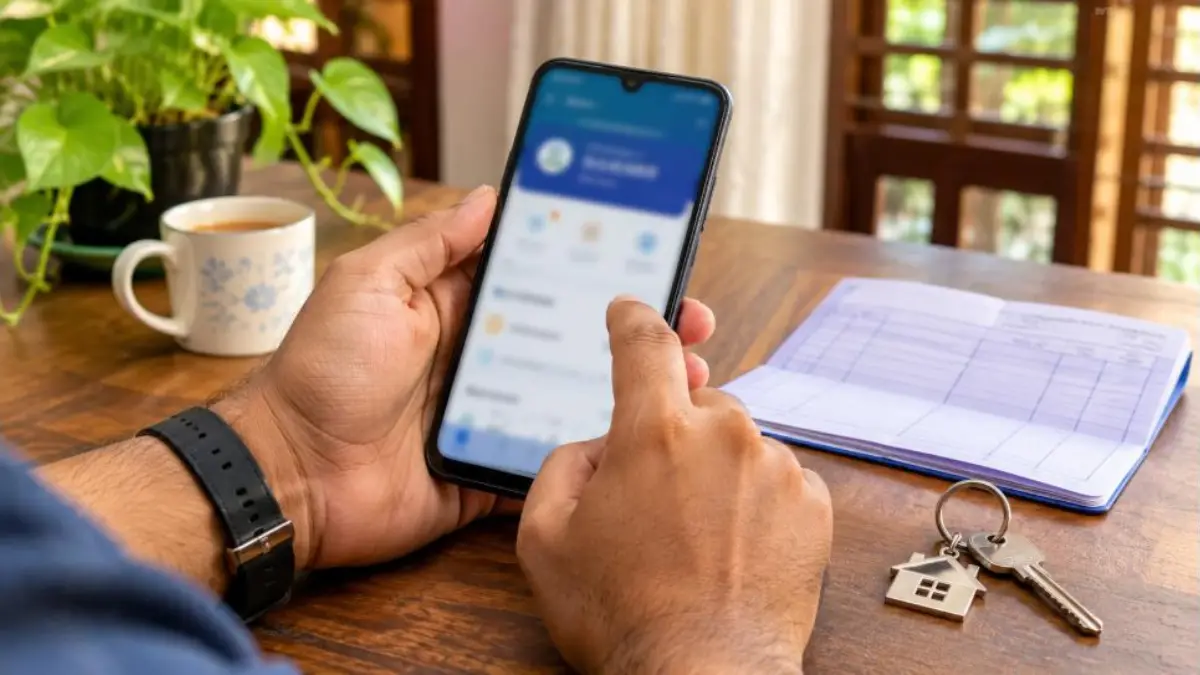
If you prefer your phone, the UMANG app offers the same EPFO services. The PF withdrawal online steps in UMANG are short:
- Install UMANG from the Play Store or App Store and register with your mobile number.
- Search for EPFO and open Employee Centric Services.
- Tap Raise Claim and enter your UAN.
- Verify with the OTP sent to your registered mobile number.
- Choose the member ID, claim type and purpose, then enter the amount.
- Confirm your bank details and submit the claim.
- Use Track Claim in the same section to follow the status.
UMANG is handy when the website is slow during peak hours. The claim goes to the same EPFO system, so the processing time does not change.
Final Settlement After Leaving a Job
When you leave employment, you can choose between transferring your PF to the new employer and withdrawing it. Financial planners usually suggest transferring, because the money keeps compounding and your service period stays continuous for tax and pension purposes.
Full withdrawal of the PF balance remains available on retirement after age 55, permanent disability, permanent migration abroad, retrenchment, voluntary retirement and other eligible exit conditions. If you are simply between jobs, check the latest waiting-period rules on the EPFO site before filing a final PF withdrawal online claim, as unemployment-related withdrawal timelines were revised in recent reforms.
Transfer instead of withdraw
If you are joining a new company, use the One Member One EPF Account (transfer request) option under Online Services. A transfer keeps your PF history in one place and avoids the tax that can apply when service is under five years.
Tax and TDS Rules on PF Withdrawal Online
Tax depends mainly on how long you have contributed. Understanding this before a PF withdrawal online claim can save you money.
| Situation | Tax treatment |
|---|---|
| Continuous service of 5 years or more | Withdrawal is generally tax-free |
| Service under 5 years, amount up to ₹50,000 | No TDS is deducted |
| Service under 5 years, amount above ₹50,000, PAN linked | TDS at 10% |
| Service under 5 years, PAN not linked | TDS at a higher rate |
| Eligible for Form 15G/15H | Submit the form to avoid TDS |
Service with earlier employers counts towards the five years only if the PF was transferred. That is another reason to transfer old accounts rather than leave them scattered.
How to Track Your PF Withdrawal Online Claim Status
After you submit, you can follow the claim at every stage. On the Member e-Sewa portal, open Online Services and click Track Claim Status. You will see whether the claim is under process, settled or rejected, along with the reason if rejected.
You can also track through the UMANG app or the EPFO passbook portal. Once settled, the amount usually reaches your bank account within a few working days. EPFO has expanded auto-settlement, so many advance claims are approved without manual checks.
Common Reasons PF Withdrawal Online Claims Get Rejected
Most rejections are avoidable. Here are the issues we see most often and how to fix each one before your next PF withdrawal online attempt:
- Name or DOB mismatch: Correct it through the Joint Declaration option on the portal before applying.
- Bank account not verified: Re-seed the account and wait for the employer or bank to approve KYC.
- Unreadable cheque image: Upload a clear colour scan showing your printed name.
- Date of exit missing: For final settlement, the employer must update it, or you may be allowed to update it yourself after two months.
- Amount above limit: Claim only what the portal shows as eligible after the 25% rule.
- Multiple member IDs: Merge old accounts through a transfer first.
Smart Tips for a Faster PF Withdrawal Online Claim
A few simple habits make every PF withdrawal online claim go smoothly. Keep your Aadhaar mobile number active, update KYC as soon as you change banks, and file on weekdays when the portal is less busy. Download your passbook before applying so you know your balance and can calculate the 25% that must stay.
Avoid agents who promise faster settlement for a fee. The process is free and online, and EPFO never asks for your password or OTP over phone calls. If you face a genuine problem, raise a grievance on the EPFiGMS portal, which is linked from the official EPFO website.
Should You Withdraw at All? Think Before You Claim
PF is one of the safest long-term savings tools for salaried people, and it earns a government-declared interest rate every year. Every rupee you take out today loses years of compounding. Before filing a PF withdrawal online request, check if a short-term loan, an emergency fund or insurance can cover the need. Use the advance only for real needs like medical care, education or a home.
The new 25% minimum balance rule exists because many members were retiring with very small PF balances. Treat that rule as a safety net rather than an obstacle.
Three Real-Life Examples
Anu, 29, medical emergency: Anu has worked for three years and has ₹2,40,000 in her PF account. Her father needs surgery. She must keep ₹60,000 (25%), so her eligible balance is ₹1,80,000. She files a medical advance from her phone at night, enters the hospital estimate amount within that limit, and the claim is auto-settled within a few days.
Rahul, 34, home loan: Rahul wants to reduce his housing loan. His balance is ₹6,00,000, so ₹1,50,000 must remain. He can claim up to ₹4,50,000 under the housing category. Because he has more than five years of continuous service after transferring his old account, the amount is not taxed.
Fathima, 26, left her job: Fathima worked for 14 months and is moving to a new city. Instead of withdrawing, she waits until she joins a new company and transfers her PF. Her service stays continuous, her money keeps earning interest, and she avoids TDS that could have applied on a short-service withdrawal.
Before-You-Click Checklist
- Note your exact balance from the passbook and calculate 25% of it.
- Keep a clear cancelled cheque image under the size limit shown on the form.
- Make sure your phone with the Aadhaar-linked number is with you.
- Write down the claim reference number after submission.
- Check your bank SMS alerts a few days later and match the credited amount with the claim.
Frequently Asked Questions
How long does PF withdrawal online take in 2026?
Auto-settled advance claims can be credited within a few working days. Claims that need manual checking may take longer, usually up to 20 days, depending on KYC and employer verification.
Can I do PF withdrawal online without my employer’s approval?
Yes. If your Aadhaar, bank and PAN are verified in KYC, you can file the claim yourself using Aadhaar OTP. The employer’s role is mainly to approve KYC and update the date of exit.
What is the 25% rule for PF withdrawal online?
Under the EPF Scheme, 2026, you must keep at least 25% of your PF balance in the account after any partial withdrawal. You can withdraw from the remaining eligible member balance.
Can I withdraw PF within one year of joining?
Most partial withdrawals need 12 months of membership. Employees who leave within one year can still make a withdrawal subject to their eligible member balance and the rules shown on the portal.
Is PF withdrawal online taxable?
If your continuous service is 5 years or more, it is generally tax-free. For shorter service, TDS may apply on amounts above ₹50,000 unless you submit Form 15G or 15H where eligible.
Why is my PF withdrawal online option not showing?
The claim option usually stays hidden if Aadhaar is not verified, the bank account is not approved, or your date of joining is missing. Update these in the KYC section and try again.
Can I cancel a PF claim after submitting?
There is no direct cancel button once the claim is submitted. If it is rejected, you can correct the issue and file a fresh PF withdrawal online claim.

Conclusion
PF withdrawal online in 2026 is simpler than ever: 12 months of membership for most advances, fewer documents and Aadhaar-based authentication from home. The key new rule to remember is that 25% of your balance must stay in the account. Complete your KYC, check your eligible balance, follow the 7 steps above and track the claim until the money reaches your bank. Withdraw only what you truly need, so your provident fund can keep working for your retirement.