
 by
Submitting your Life Certificate Online is the easiest way for a pensioner to keep the monthly pension flowing without standing in a long bank queue every November. In this 2026 guide we explain, in plain language, how the Jeevan Pramaan digital life certificate works, who has to submit it and when, and six easy methods you can use from home, from a bank, through the postman or at a nearby service centre.
Every year, central government, state government, defence, railway, EPFO and bank pensioners must prove they are alive so the pension disbursing agency can continue payments. Earlier this meant a printed form signed by a gazetted officer. Today the Life Certificate Online facility, called Jeevan Pramaan, lets you do it with an Aadhaar based fingerprint, iris or simple face scan on a phone. Read on and you will be able to finish it in about ten minutes.
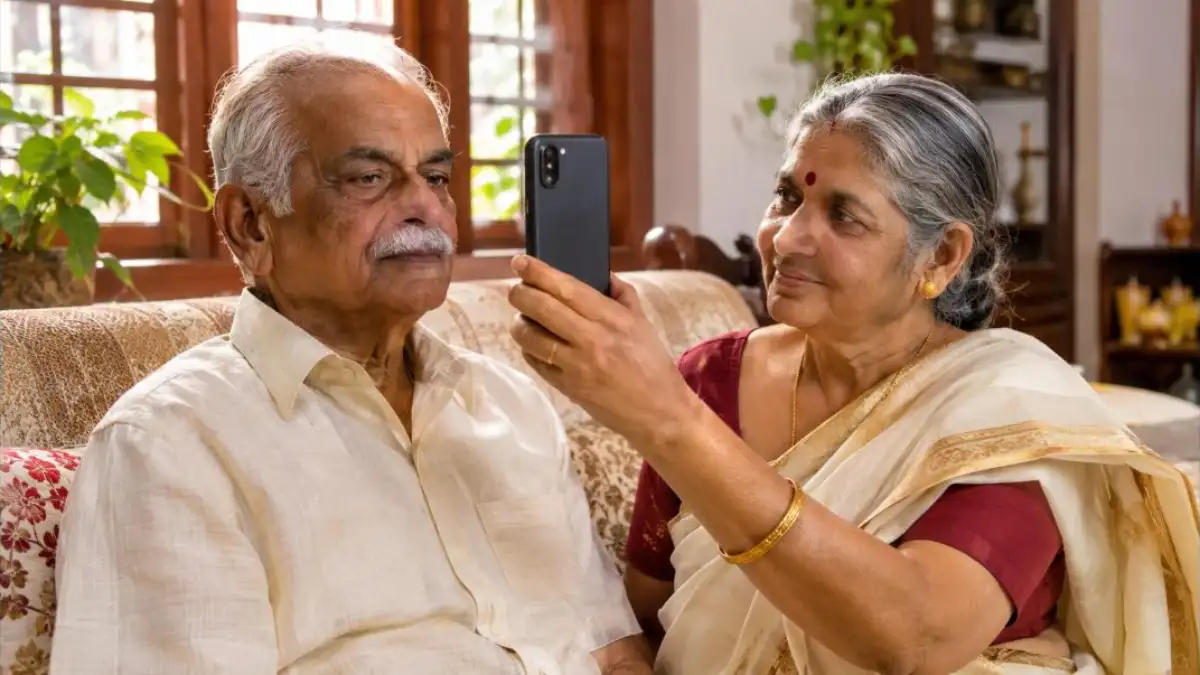
What Is Life Certificate Online (Jeevan Pramaan)?
Jeevan Pramaan is the Government of India’s Aadhaar based biometric system for generating a Digital Life Certificate (DLC). When you complete a Life Certificate Online, your identity is verified against UIDAI records, and the certificate is stored in a central repository. Your bank, treasury or pension office can then fetch it directly, so you do not need to carry any paper to the branch.
The certificate carries a unique Pramaan ID. Once it is generated, an SMS with a link to the certificate is sent to your registered mobile number. You can also download a PDF copy from the official Jeevan Pramaan portal using that ID. This makes the Life Certificate Online process transparent, because you have proof of submission in your hand.
Why the life certificate matters
The life certificate is the basic check that keeps pension fraud out of the system. If it is not submitted on time, the pension disbursing agency can hold further payments until you submit it. That is why a quick Life Certificate Online submission every year is one of the most important tasks for any retired person or for children who manage their parents’ paperwork.
Life Certificate Online 2026: Who Must Submit and When
The yearly window depends on age. For 2026, pensioners aged 80 years and above (super senior pensioners) could start submitting their digital life certificate from 1 October 2026. Pensioners below 80 follow the regular November window. In general, the last date is 30 November, unless the government announces an extension.
| Pensioner group | Submission window | Usual last date |
|---|---|---|
| Age 80 years and above | From 1 October 2026 | 30 November 2026 |
| Below 80 years | November 2026 | 30 November 2026 |
| Family pensioners | As per your pension office rules | Check with your bank |
Some state governments, banks and organisations such as EPFO follow their own cycle, for example a certificate valid for 12 months from the date of the last submission. So before you start the Life Certificate Online process, check the message or circular from your own pension disbursing agency. If you are unsure, the bank branch where your pension is credited can confirm the date.
Documents and Details You Need
Keep these details ready before you begin. Having them on one sheet of paper saves time, especially when you are helping an elderly parent with Life Certificate Online on a phone.
- Aadhaar number or Virtual ID (Aadhaar must be linked to the pension account)
- Pension Payment Order (PPO) number
- Pension account number and bank name
- Name of the sanctioning authority and disbursing agency (for example SBI, treasury, EPFO, defence)
- Mobile number for OTP and SMS
- Details of re-employment or re-marriage, if the pension rules ask for them
If your Aadhaar mobile number or other details are wrong, fix them first. Our guide on the new Aadhaar app and address update explains how to update details from your phone.
6 Easy Ways to Submit Life Certificate Online
There is no single right method. Choose the one that suits the pensioner’s health, comfort with phones and the distance to a bank. Here is a quick comparison of all six methods before we explain each one step by step.
| Method | Where | Best for |
|---|---|---|
| Face authentication app | Home, Android phone | Pensioners with a smartphone and a helper |
| Fingerprint or iris device | Home or centre | Those whose face scan fails |
| Bank branch | Pension bank | Those who prefer face-to-face help |
| Doorstep banking | Home visit | Bedridden or very elderly pensioners |
| Postman (IPPB) | Home visit | Rural areas |
| Common Service Centre | Nearby CSC | Those without a phone |
Method 1: Face authentication on your phone
This is the most popular Life Certificate Online method in 2026 because it needs no extra device. You need an Android smartphone with internet and a front camera of good quality, plus two apps: AadhaarFaceRD and the Jeevan Pramaan Face App.
- Install AadhaarFaceRD and Jeevan Pramaan Face App from the Google Play Store.
- Open the Jeevan Pramaan app, give the permissions and complete operator authentication (the person helping can be the operator, or the pensioner can be the operator).
- Enter the pensioner’s Aadhaar number, mobile number and email if asked, then verify the OTP.
- Fill in the name, PPO number, pension type, sanctioning authority, disbursing agency and account number.
- Tap to start the face scan. Sit in good light, remove spectacles if the app asks, look straight at the camera and blink when prompted.
- When the scan is accepted, the screen shows the Pramaan ID. An SMS with the link arrives on the registered mobile.
Tip: if the scan fails, move to natural light near a window and keep the phone at eye level. A plain wall behind the face helps the app recognise it faster.
Method 2: Fingerprint or iris device
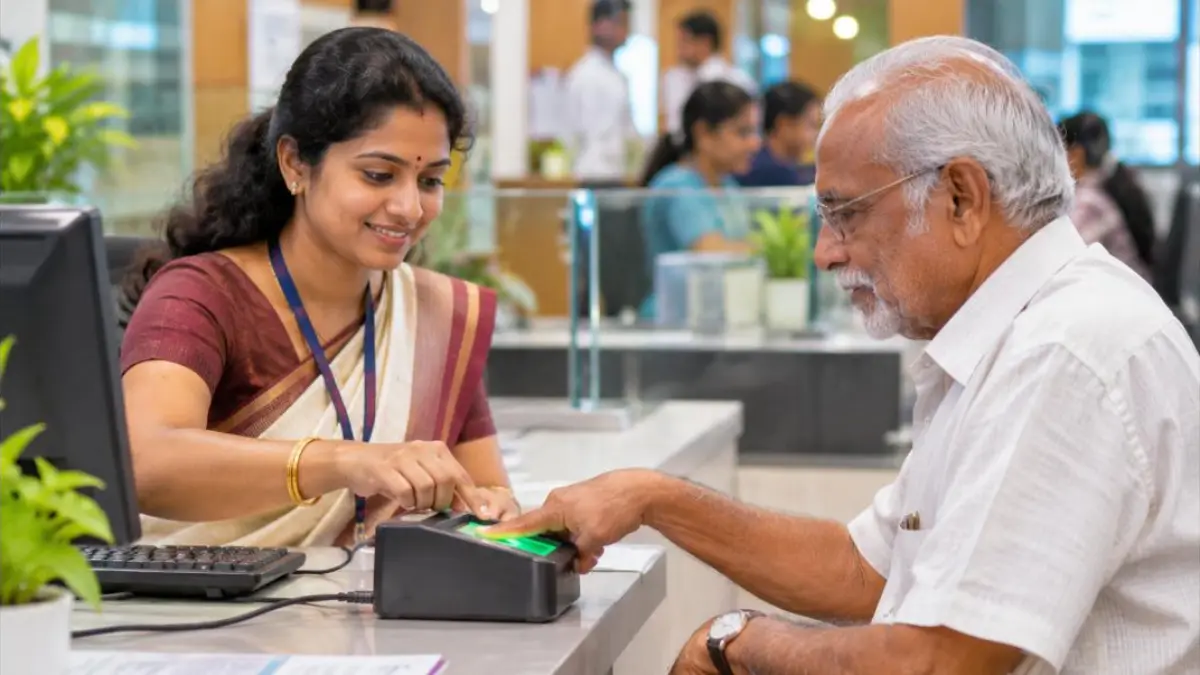
Some pensioners have faint fingerprints or the face scan may not match. In that case, a UIDAI registered biometric device can be used with the Jeevan Pramaan client on a phone or PC. Plug in the device, enter the same details and scan the finger or iris. The Life Certificate Online is generated the same way.
Method 3: At your pension bank branch
Every pension paying bank branch can generate a digital life certificate. Visit with your Aadhaar and PPO details; the staff will capture your biometric and give you the acknowledgement. Banks such as SBI also allow submission at any branch, not only the home branch. Go on a weekday morning to avoid the rush at the end of November.
Method 4: Doorstep banking service
Public sector banks offer Doorstep Banking Services through the PSB Alliance. A bank agent visits the pensioner’s home with a biometric device and completes the Life Certificate Online on the spot. You can book the visit through the Doorstep Banking mobile app, the website or the toll-free number of the service. Charges, if any, are set by your bank, so check them while booking.
This option is ideal for pensioners above 80, people recovering from illness, and those living alone. A family member can book the slot from another city and simply make sure the pensioner is at home with the PPO details.
Method 5: Through the postman (India Post Payments Bank)
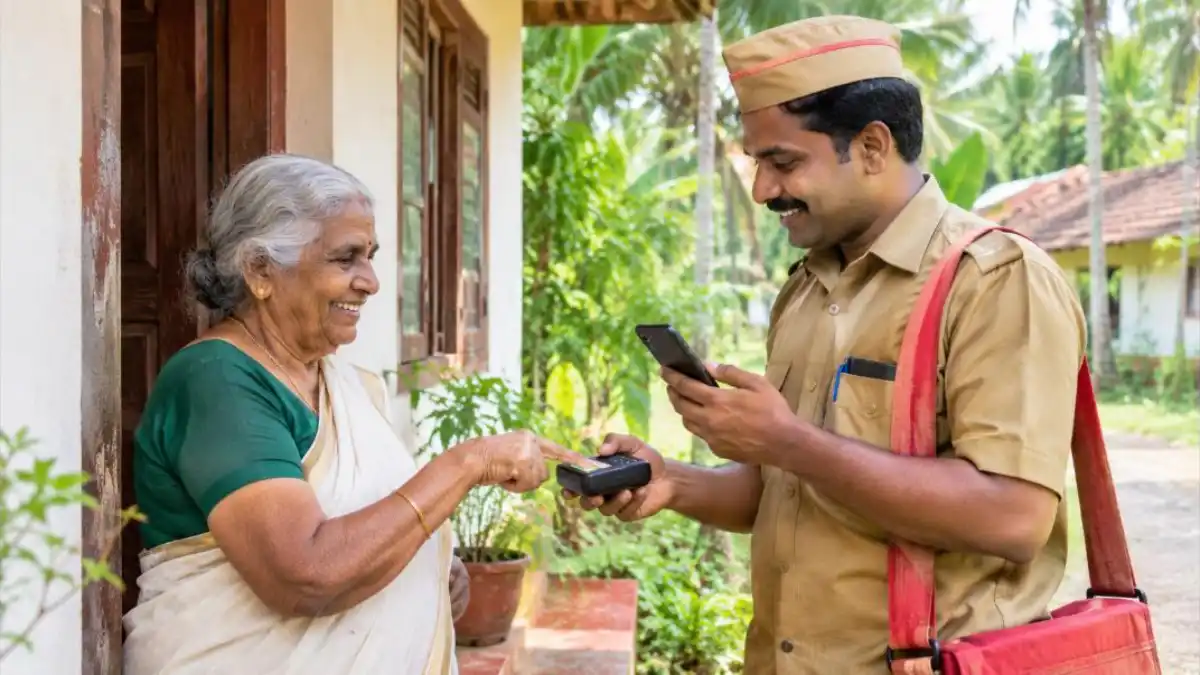
India Post Payments Bank (IPPB) provides digital life certificate service through postmen and Gramin Dak Sevaks. You can request the service through the IPPB website or by contacting your local post office. The postman brings a smartphone and a biometric device, verifies your Aadhaar and submits the Life Certificate Online right at your doorstep. A nominal service fee may apply; confirm it with the post office.
Method 6: Common Service Centre (CSC) or Jeevan Pramaan centre
If no one at home has a smartphone, walk into a nearby Common Service Centre or Akshaya centre in Kerala. The operator will enter your details, take your fingerprint or iris and hand over a printout with the Pramaan ID. Carry your Aadhaar card, PPO number and bank passbook. The Jeevan Pramaan portal has a “Locate a Centre” option to find the closest place.
Step-by-Step: Life Certificate Online Using Face App (Detailed)
Because the face app is the method most families try first, here is a more detailed walk-through with the common screens you will see. Follow it slowly, one screen at a time, and the Life Certificate Online will be done in one attempt in most cases.
Step 1: Prepare the phone
Use a phone running a recent version of Android with at least a 5 megapixel front camera, good internet and enough battery. Close other apps. Clean the front camera with a soft cloth; a smudged lens is a common reason for failure.
Step 2: Install both apps
Search for “AadhaarFaceRD” (published by UIDAI) and “Jeevan Pramaan Face App” on the Play Store. Be careful with look-alike apps; check the publisher name before installing. Only official apps should be used for any Life Certificate Online process because Aadhaar data is sensitive.
Step 3: Operator authentication
The first time you open the app, it asks for operator authentication. The operator is the person using the phone. Enter the operator’s Aadhaar number, verify the OTP and complete one face scan of the operator. A son or daughter can be the operator for both parents on the same phone.
Step 4: Pensioner details
Now enter the pensioner’s Aadhaar, mobile number and OTP. Then type the name exactly as in Aadhaar, select the pension type (service, family, freedom fighter and so on), the sanctioning authority, the disbursing agency, the PPO number and the account number. Double-check the PPO number because a wrong number means the bank cannot match the certificate.
Step 5: Face scan and declaration
Tick the declaration, then tap scan. Hold the phone steady about one arm’s length away. When the circle turns green and the app says success, the Life Certificate Online is generated and the Pramaan ID is displayed. Take a screenshot of this screen for your records.
Step 6: Download and confirm
Within a short time, you receive an SMS with a link. You can download the certificate from the official portal using the Pramaan ID. After a few days, check with your bank whether it has updated your life certificate status; many banks also send their own confirmation SMS.
Life Certificate Online for Different Pensioner Types
The basic Jeevan Pramaan process is the same for everyone, but a few details change depending on who pays your pension. Use this table to know what to select in the app.
| Pensioner type | Sanctioning authority to select | Note |
|---|---|---|
| Central civil pensioner | Your ministry or department | Disbursing agency is usually your bank |
| EPFO (EPS 95) pensioner | EPFO | Certificate is often valid for one year from submission |
| Defence pensioner | Defence / SPARSH | Can also be submitted through SPARSH service centres |
| State government pensioner | Your state government | Check whether your state accepts DLC |
| Railway pensioner | Railways | Bank or railway office |
EPFO pensioners can also check their PF and pension details online; see our guide on EPF balance check for the UMANG and portal steps.
Common Problems and Easy Fixes
Most failures in Life Certificate Online come from a handful of small issues. Here are the ones we see most often, along with fixes that usually work.
- Face not matching: Improve lighting, remove spectacles and caps, keep a neutral expression and try again. If it fails repeatedly, use a fingerprint or iris device.
- OTP not received: The mobile number linked to Aadhaar may be old. Update it at an Aadhaar centre first.
- Aadhaar not linked to pension account: Visit your bank and complete Aadhaar seeding before trying again.
- Wrong disbursing agency selected: Generate a new certificate with the correct bank or treasury name.
- App crashing: Update both apps, clear cache and restart the phone.
- Bank not updated: Wait a few working days, then show the Pramaan ID or downloaded PDF at the branch.
What Happens If You Miss the Deadline?
If the life certificate is not received by the due date, the pension disbursing agency can hold the pension from the following month. This is not a cancellation. Once you submit the Life Certificate Online, the payment normally resumes, and pending amounts are usually credited as per the rules of your pension office. Still, it can mean a stressful gap of weeks, so it is wise to finish it early in the window.
If the pensioner is abroad, the rules are different; NRI pensioners usually submit a certificate signed by an Indian embassy or consulate official or a notary as accepted by their bank. Contact your bank for the exact format.
Life Certificate Online Safety Tips
Because the process uses Aadhaar, fraudsters sometimes target pensioners with fake calls in November. Keep these safety rules in mind every time you do Life Certificate Online.
- No bank or pension office will ask for your OTP over a phone call. Never share it.
- Download apps only from the official Play Store listing and the official Jeevan Pramaan portal.
- Do not click links in unknown SMS or WhatsApp messages that claim your pension will stop today.
- Use Aadhaar biometric lock in the mAadhaar or Aadhaar app when you are not using biometrics, and unlock it only while submitting.
- If someone visits claiming to be a bank agent, confirm the booking with the bank or the doorstep service first.
Checklist Before You Start
Use this quick checklist so that your Life Certificate Online goes through on the first try. Print it or keep it on your phone for every November.
- Aadhaar linked to the pension account (confirm with bank)
- Aadhaar linked mobile number is working
- PPO number written down correctly
- Phone charged, internet working, front camera clean
- Pensioner seated in bright, even light
- Correct disbursing agency name noted
- Pramaan ID saved after success
Benefits of Life Certificate Online Over Paper Forms
The digital system is not only faster but also safer for elderly people. Here is why most banks now encourage Life Certificate Online instead of the old paper certificate.
- No travel: Submit from home with face authentication or a doorstep visit.
- Submit anywhere: The certificate goes to a central repository, so it does not matter which city you are in.
- Instant proof: The Pramaan ID and SMS act as acknowledgement.
- No gazetted officer signature: Aadhaar authentication replaces manual attestation.
- Less paperwork for banks: Faster updating means fewer pension holds.
Pensioners who receive a state welfare pension in Kerala have a separate mustering process. Read our Kerala welfare pension 2026 guide to understand that system.
Tips for Children Helping Elderly Parents
Many sons and daughters live away from their parents, especially in Gulf countries or other cities. You can still guide the Life Certificate Online process remotely. Make a video call, ask a neighbour or relative to hold the phone, and read out the steps from this guide. Keep the PPO number and Aadhaar details in a safe note so you can fill them quickly.
If your parents are not comfortable with phones, book a doorstep banking visit or an IPPB postman visit for them. These services were built for exactly this situation. Mark a reminder for the first week of November every year so the Life Certificate Online is never left for the last day.
How to Check Life Certificate Online Status
After you submit, you may want to confirm that the certificate reached the right place. First, look for the SMS with the Pramaan ID. Second, visit the official Jeevan Pramaan portal and use the download option with your Pramaan ID to get the PDF. Third, after a few working days, ask the bank or check the pension section of your net banking; many banks show the last life certificate date there. If the status is still pending after a week, take the PDF to your branch so they can update it manually.
Keep the PDF and the Pramaan ID until next year. If there is any dispute about a missed pension, this proof of Life Certificate Online submission will settle it quickly.
Frequently Asked Questions
Can I submit Life Certificate Online from home?
Yes. Using the Jeevan Pramaan Face App and AadhaarFaceRD on an Android phone, you can submit it from home with a face scan. Doorstep banking and IPPB postman services are other home options.
What is the last date for Life Certificate Online in 2026?
For most pensioners the last date is 30 November 2026. Pensioners aged 80 and above could start from 1 October. Always check your own pension office’s instructions because some follow a different cycle.
Is Jeevan Pramaan mandatory?
No. The digital option is voluntary. You can still submit a physical life certificate at your bank or pension office if you prefer.
How long is the digital life certificate valid?
Usually it is valid for one year as per the rules of your pension sanctioning authority. EPFO pensioners often get validity of one year from the date of submission.
Do I need an iPhone or Android phone?
The face authentication method currently works with Android phones using the official apps. If you have no Android phone, use a bank, CSC, IPPB or doorstep banking.
What if my face scan keeps failing?
Try better lighting and remove spectacles. If it still fails, use a fingerprint or iris biometric device at a bank branch or CSC to complete the Life Certificate Online.
Can family pensioners use Jeevan Pramaan?
Yes, family pensioners can generate a digital life certificate in the same way by selecting family pension as the pension type.
Conclusion
Life Certificate Online has made the yearly November ritual simple. With the face app, a fingerprint device, your bank, a doorstep agent, the postman or a CSC, there is now a method for every pensioner. Keep your Aadhaar, PPO number and mobile ready, submit early, save the Pramaan ID and confirm with your bank. For official information, visit the Jeevan Pramaan portal and UIDAI. Finish your Life Certificate Online today and enjoy a worry-free pension for the coming year.


