
 by
Need your ABHA card for a hospital visit, an insurance claim or to share lab reports with a doctor? The ABHA card download takes less than two minutes if you know where to look. ABHA – Ayushman Bharat Health Account – is India’s free 14-digit digital health ID under the Ayushman Bharat Digital Mission (ABDM). It links your prescriptions, test reports and hospital records so you can access them anytime, anywhere.
In this guide you will learn 5 easy ways to download your ABHA card as PDF or image, how to create an ABHA number if you don’t have one, how to find a forgotten ABHA number, and how ABHA differs from the Ayushman Bharat (PM-JAY) card.
What Is an ABHA Card?
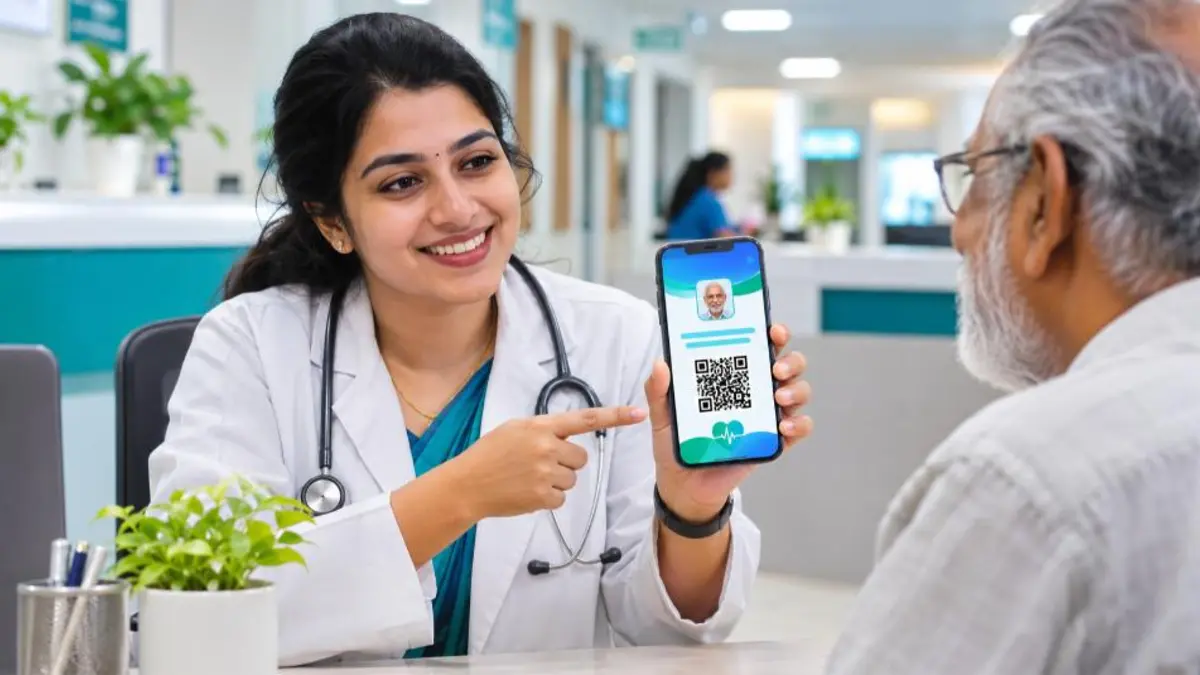
An ABHA card shows your 14-digit ABHA number, your ABHA address (for example yourname@abdm), name, date of birth, gender, photo and a QR code. Hospitals, clinics, labs and pharmacies connected with ABDM can scan the QR code to register you quickly and, with your consent, view or add health records.
Key features of ABHA:
- Free for every Indian – no income or age limit
- Consent-based – no one can see your records without your OTP approval
- Portable – works with any ABDM-linked hospital across India
- Paperless – no need to carry files of old reports
ABHA Number vs ABHA Address
| Feature | ABHA Number | ABHA Address |
|---|---|---|
| Format | 14-digit number (xx-xxxx-xxxx-xxxx) | Username like name@abdm |
| Purpose | Unique health ID | Easy login and record sharing |
| Can change? | No | You can create a new address |
Documents Needed for ABHA Card Download
- Your ABHA number, ABHA address, or Aadhaar number
- Mobile number linked with Aadhaar or ABHA (for OTP)
- A smartphone or computer with internet
5 Easy Ways to Do ABHA Card Download
1. ABHA Card Download Using Mobile Number (ABHA Portal)
- Visit the official ABHA website abha.abdm.gov.in.
- Click Login and choose Mobile Number.
- Enter your mobile number and the OTP you receive.
- If more than one ABHA is linked to the number, select your profile.
- On your profile page, click Download ABHA Card. The card is saved as a PDF/PNG.
2. Download Using ABHA Number
- On the ABHA portal, click Login and select ABHA Number.
- Enter your 14-digit ABHA number and choose OTP via Aadhaar-linked mobile or ABHA-linked mobile.
- Verify the OTP and click Download ABHA Card.
3. Download Using Aadhaar Number
- Select the Aadhaar login option on the portal.
- Enter your Aadhaar number and verify the OTP sent to your Aadhaar-linked mobile.
- Your ABHA profile opens – download the card.
Tip: keep your Aadhaar mobile number updated. Our guide on the new Aadhaar app explains how to manage Aadhaar details easily.
4. Download from the ABHA App
- Install the official ABHA app from Google Play Store or App Store.
- Log in with your mobile number, ABHA number or ABHA address and verify the OTP.
- Open your profile and tap the card/QR icon, then tap Download or Share.
5. Download from Aarogya Setu or Other ABDM Apps
- Open the Aarogya Setu app (or another ABDM-approved health records app).
- Go to the ABHA section and log in with your ABHA details.
- View your ABHA card and download or share it.

How to Create an ABHA Number (If You Don’t Have One)
- Go to abha.abdm.gov.in and click Create ABHA Number.
- Choose Using Aadhaar (fastest) and enter your Aadhaar number.
- Accept the terms and verify the OTP sent to your Aadhaar-linked mobile.
- Enter the mobile number you want to link with ABHA and verify it.
- Create your ABHA address (for example yourname@abdm).
- Your ABHA number is generated instantly – download the card right away.
You can also create ABHA using a driving licence, but you will need to complete verification at a nearby ABDM-registered health facility.
How to Use Your ABHA Card at a Hospital
Downloading the ABHA card is only the first step. The real benefit comes when you use it during hospital visits.
- Scan and Share at the counter: Many government and private hospitals display a “Scan and Share” QR code at the OPD registration desk. Open the ABHA app or a supported health app, scan the hospital’s QR code and share your profile. You get a token number without filling a paper form.
- Show your ABHA QR code: Alternatively, show the QR code on your ABHA card. The hospital staff scan it to pull your name, age, gender and contact details.
- Approve consent requests: When a doctor wants to see your past reports, you receive a consent request. Approve it only for the period and type of records you are comfortable sharing.
- Link new records: After the visit, prescriptions and lab reports from ABDM-linked facilities can be linked to your ABHA so they appear in your health locker.
This saves time for both you and the hospital, and helps doctors make decisions based on your complete medical history instead of memory.
How to Link Old Health Records to ABHA
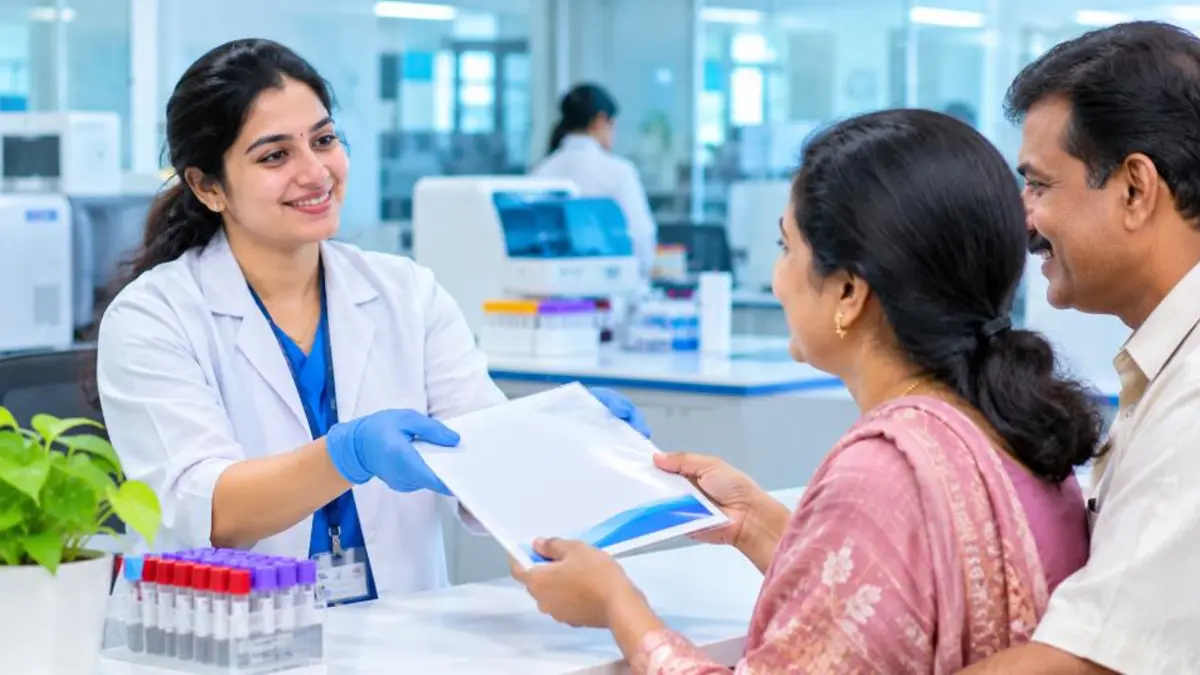
Your ABHA becomes more useful as you add records. You can link records in a few ways:
- From hospitals and labs: When you register at an ABDM-integrated facility using ABHA, the reports they generate can be linked automatically or after your approval.
- Through health locker apps: ABDM-approved Personal Health Record (PHR) apps let you discover records from linked facilities using your mobile number and ABHA address.
- Upload your own documents: Some PHR apps allow you to upload scanned prescriptions and reports for your own reference.
Keep your ABHA address and mobile number updated so that facilities can find and link your records correctly.
How to Update Details in Your ABHA Profile
If your mobile number, email or address changes, update your ABHA profile so that OTPs and consent requests reach you:
- Log in to the ABHA portal or app.
- Open Profile and choose the detail you want to change.
- For mobile or email, verify the new contact with an OTP.
- For name, date of birth or gender, the ABHA profile follows your Aadhaar details. Update Aadhaar first, then re-verify ABHA with Aadhaar OTP to sync the changes.
- Download a fresh ABHA card after updating so the printed copy matches.
ABHA Card for Children and Senior Citizens
Children
Parents can create ABHA numbers for children using the child’s Aadhaar where available. A parent’s mobile number can be linked, and multiple family profiles can be managed from one phone. Having an ABHA for children helps track vaccinations, growth check-ups and paediatric visits in one place.
Senior citizens
For elderly family members, ABHA is especially helpful because they often visit multiple specialists. Linking all their reports to one ABHA reduces repeated tests and helps doctors avoid prescribing medicines that interact badly with existing ones. Senior citizens aged 70 and above may also be eligible for free treatment under Ayushman Bharat PM-JAY, which is a separate card.
Forgot Your ABHA Number? How to Retrieve It
- Log in on the ABHA portal or app using your mobile number or Aadhaar – your ABHA number is shown on the profile.
- Use the Forgot ABHA Number option on the login page and verify with Aadhaar or mobile OTP.
- Check old hospital registration slips – many hospitals print your ABHA number on them.
ABHA Card vs Ayushman Bharat (PM-JAY) Card
| Point | ABHA Card | Ayushman Card (PM-JAY) |
|---|---|---|
| What it is | Digital health ID | Health insurance card |
| Who can get it | Every Indian citizen | Eligible families and senior citizens 70+ |
| Benefit | Stores and shares health records | Free treatment up to ₹5 lakh per family per year at empanelled hospitals |
| Cost | Free | Free for eligible beneficiaries |
If you are eligible for free treatment, read our complete guide to the Ayushman Bharat card apply online process.
ABHA Card Download in PDF vs Image Format
The ABHA portal and app let you save the card as a PDF or an image. Choose the format based on how you plan to use it:
- PDF: Best for printing and for sending to insurance companies or employers by email. The text stays sharp at any size.
- Image (PNG/JPG): Best for quick sharing on WhatsApp and for keeping in your phone gallery so the QR code is ready even without internet.
Whichever format you choose, store a copy in a secure cloud folder as a backup in case you lose your phone.
How ABHA Helps with Health Insurance Claims
ABHA is not an insurance card, but it can make insurance claims smoother. When your hospital records, discharge summary and bills are linked digitally, insurers can verify treatment details faster. Several insurers and third-party administrators are integrating with ABDM’s Health Claims Exchange so that pre-authorisation and claim documents can move electronically instead of on paper.
For policyholders, this means fewer follow-up requests for missing documents and quicker settlement. Keep your ABHA number handy when filling cashless request forms at the hospital.
Key Features of the ABHA App
- Digital ABHA card: View, download and share your card any time.
- Scan and Share: Skip OPD queues by scanning the hospital QR code.
- Health locker: See linked prescriptions, lab reports and discharge summaries.
- Consent manager: Approve, deny or revoke access to your records.
- Family profiles: Manage ABHA for parents, spouse and children from one phone.
- Security controls: Lock or unlock your ABHA number and set a login PIN.
Is ABHA Safe? Understanding Privacy Controls
A common question is whether creating an ABHA puts your health data at risk. ABDM is designed so that your records are not stored in one central database. Instead, each hospital or lab keeps the records it creates, and ABDM only acts as a bridge when you give consent. You decide:
- Which doctor or hospital can see your records
- Which types of records they can see (for example, only lab reports)
- For how long they can access them
You can revoke consent at any time from the consent manager. You can also lock your ABHA number so that nobody can use it to search for you without your permission.
Who Should Create and Download an ABHA Card?
- Patients with chronic conditions such as diabetes, hypertension or heart disease who see doctors often.
- Pregnant women who need to share scan and test reports with different doctors.
- Elderly parents who visit multiple specialists and take several medicines.
- Students and workers living away from home who may need treatment in another city.
- Anyone who wants paperless health records that are easy to find in an emergency.
Since the ABHA card is free and takes only a few minutes to create, there is little reason not to have one, even if you are healthy today.
Benefits of Downloading Your ABHA Card
- Quick hospital registration – scan-and-share QR at OPD counters avoids long queues.
- All records in one place – lab reports, discharge summaries and prescriptions linked digitally.
- Better treatment – doctors can see your history, allergies and past medicines with your consent.
- Useful for government schemes – increasingly used in public health programmes.
Common Problems During ABHA Card Download
| Problem | Reason | Solution |
|---|---|---|
| Card shows blank photo | ABHA created without Aadhaar photo | Re-verify ABHA with Aadhaar OTP to fetch photo |
| Multiple profiles shown | Several family ABHAs linked to one mobile | Select the correct name before downloading |
| Download button not working | Browser pop-up or download blocked | Allow downloads or try another browser or the ABHA app |
| Wrong name or DOB on card | Aadhaar details are wrong | Update Aadhaar first, then sync ABHA |
| “ABHA not found” | Entered ABHA address instead of number, or vice versa | Choose the correct login option |
Safety and Privacy Tips
- Share your records only through consent requests you recognise.
- Never share OTPs with callers claiming to “update” your ABHA.
- You can deactivate or delete ABHA from your profile settings if you no longer want it.
Learn more about the mission on the official ABDM website.
ABHA vs DigiLocker: What Is the Difference?
People often confuse ABHA with DigiLocker because both store documents digitally. DigiLocker is a government wallet for official documents such as Aadhaar, PAN, driving licence, mark sheets and vehicle registration. ABHA is focused only on health – it connects you with hospitals, labs and pharmacies for medical records.
In simple terms, use DigiLocker for identity and certificates, and use ABHA for prescriptions, test reports and hospital visits. Both are free and can be used together.
Quick Checklist Before You Download
- Keep your Aadhaar-linked or ABHA-linked mobile phone with you for the OTP.
- Know whether you are logging in with ABHA number, ABHA address, Aadhaar or mobile.
- Use the official ABHA website or app only, not third-party websites that ask for payment.
- Allow downloads in your browser so the PDF saves properly.
- After downloading, check that your name, date of birth and photo are correct.
Following this checklist makes your ABHA card download quick and error-free, whether you are using a phone or a computer.
ABHA Card Download for Rural Users
If you live in a village or do not have a smartphone, you can still get your ABHA card. Visit the nearest Common Service Centre (CSC), Ayushman Arogya Mandir (health and wellness centre), primary health centre or government hospital. Staff there can create your ABHA number with Aadhaar OTP and print the card for you.
ASHA and ANM workers are also helping families create ABHA numbers during health camps. Carry your Aadhaar card and the mobile phone linked with Aadhaar, because the OTP is needed for verification. Ask for a printed copy and also note down your 14-digit ABHA number so you can download the card again later from any phone.
Frequently Asked Questions (FAQ)
Is ABHA card download free?
Yes. Creating and downloading an ABHA card is completely free on the official portal and apps.
Can I download my ABHA card without Aadhaar?
Yes. You can log in with your ABHA number, ABHA address or linked mobile number and download the card.
Is the ABHA card the same as the Ayushman card?
No. ABHA is a digital health ID for everyone. The Ayushman (PM-JAY) card is a health insurance card for eligible families.
Can I download the ABHA card for my family members?
Yes. If several ABHA profiles are linked to one mobile number, you can select each profile after login and download each card.
What if the OTP does not come?
Wait a minute and resend. Make sure you are using the mobile number linked with Aadhaar or ABHA. Try a different login method if needed.
Is my health data safe with ABHA?
Records stay with the hospitals and labs that created them and are shared only after your consent. ABDM follows a consent-based data sharing framework.
Can I print my ABHA card?
Yes. Download the PDF and print it on normal paper or get it laminated. A digital copy on your phone is equally valid at ABDM-linked hospitals.
Can I delete my ABHA number?
Yes. The ABHA portal allows you to deactivate or permanently delete your ABHA number from profile settings. Deletion removes the ID, so download any records you need first.
Is ABHA mandatory for hospital treatment?
No. ABHA is voluntary. However, it makes registration faster and helps doctors view your history with your consent.
Conclusion
ABHA card download is quick and free through the ABHA portal, the ABHA app or Aarogya Setu. Keep the card saved on your phone, use the QR code at hospitals, and link your reports so your full medical history is always ready when you need it. If you don’t have an ABHA number yet, create one with Aadhaar in a few minutes.


