 by
Joined a new job and got a Universal Account Number from your employer, but cannot log in to the EPFO portal? Your UAN activation is still pending. Until you activate UAN, you cannot download your PF passbook, check your EPF balance, update KYC or file a withdrawal claim online. In 2026 EPFO changed the process: activation is no longer done on the member portal with a simple OTP – it is now done on the UMANG app using Aadhaar face authentication.
This guide explains the new UAN activation process step by step, what you need before you start, how to generate a new UAN if your employer has not created one, how to fix common errors, and what to do right after activation.

What Is UAN and Why UAN Activation Matters
The Universal Account Number (UAN) is a 12-digit number allotted by the Employees’ Provident Fund Organisation (EPFO). It stays the same for your entire career, while each employer opens a separate PF member ID under it. Your employer usually generates the UAN, but only you can activate it.
Once your UAN is active, you can:
- View and download your EPF passbook for every employer
- Check PF balance and track monthly contributions
- File online claims for advance, partial or final withdrawal
- Transfer old PF accounts to your current employer
- Update KYC details such as bank account and PAN
- Add or change your nominee (e-nomination)
What Changed in UAN Activation in 2026
EPFO has moved UAN generation and UAN activation to the
UMANG appwith
Aadhaar Face Authentication Technology (FAT). The old OTP-only activation on the member portal has been discontinued. The new method checks your identity with a live face scan through UIDAI, so EPFO records get your verified photograph and Aadhaar details. This reduces fake accounts and claim rejections due to mismatched details.
The Ministry of Labour & Employment also announced that members whose UAN is already active can complete face authentication on UMANG to update their records.
Documents and Requirements for UAN Activation
| Requirement | Details |
|---|---|
| UAN | Available on your salary slip or from your HR/employer |
| Aadhaar number | Must be seeded with your UAN by the employer |
| Aadhaar-linked mobile | OTP is sent to this number |
| Smartphone | Android or iPhone with a working front camera |
| UMANG app | Free from Google Play Store or App Store |
| Aadhaar Face RD app | UIDAI’s face capture app used for the live scan |
How to Activate UAN on UMANG: 6 Easy Steps
Follow these steps to complete UAN activation online with face authentication:
- Install the apps: Download the UMANG app and the Aadhaar Face RD app from the official app store. Register on UMANG with your mobile number.
- Open the EPFO service: In UMANG, search for “EPFO” and select UAN Activation (under UAN Allotment and Activation).
- Enter your details: Type your UAN, Aadhaar number and Aadhaar-linked mobile number, then tick the consent box for Aadhaar validation.
- Verify OTP: Enter the OTP received on your Aadhaar-linked mobile number.
- Complete face authentication: The Aadhaar Face RD app opens. Hold the phone at eye level in good light, remove glasses or mask, and blink when asked until the scan succeeds.
- Get your password: After successful verification, your UAN is activated and a temporary password is sent by SMS. Log in to the EPFO member portal and change the password immediately.
How to Generate a New UAN Using Face Authentication
If you are a new employee and your employer has not yet created a UAN, you can generate one yourself:
- Open UMANG and choose UAN Allotment and Activation.
- Enter your Aadhaar number and mobile number and give consent.
- Verify the OTP sent to your Aadhaar-linked mobile.
- The system checks whether a UAN already exists for your Aadhaar. If one exists, it will tell you – do not create a duplicate.
- Complete the face scan. A new UAN is generated and sent to your mobile, already activated.
- Share the UAN with your employer so they can link your PF member ID.
Face Authentication for Already Activated UANs
If you activated UAN years ago with the old OTP method, you can still complete face authentication so your EPFO profile carries a verified photo and Aadhaar data. In UMANG, choose
, give consent and complete the scan. This is useful before filing a large withdrawal or transfer claim, because verified profiles face fewer mismatches.

Common UAN Activation Errors and How to Fix Them
| Error | Likely Reason | Solution |
|---|---|---|
| Invalid Aadhaar or UAN | Typing mistake or Aadhaar not seeded | Re-check numbers; ask employer to seed Aadhaar in UAN |
| OTP not received | Mobile not linked with Aadhaar or network delay | Wait 2 minutes and resend; update mobile at an Aadhaar centre |
| Face authentication failed | Poor light, glasses, old Aadhaar photo | Retry in daylight; if it keeps failing, update biometrics at Aadhaar Seva Kendra |
| UAN already exists | A UAN was generated earlier for your Aadhaar | Use the existing UAN; ask HR to merge any duplicate |
| Name/DOB mismatch | Employer records differ from Aadhaar | Request a joint declaration correction through your employer |
What to Do After UAN Activation
- Change the temporary password on the EPFO member portal and keep it safe.
- Add bank account and PAN under KYC so your employer can approve them digitally.
- File e-nomination so your family can get PF, pension and EDLI insurance easily.
- Check your passbook every few months to make sure your employer is depositing contributions. See our guide on EPF balance check by missed call, SMS and UMANG.
- Transfer old PF accounts if you changed jobs, so your service history stays continuous.
If you also want extra retirement savings beyond EPF, read our step-by-step guide to
open an NPS account online.
Old Method vs New Method of UAN Activation
| Point | Old Method (Before 2026) | New Method (2026) |
|---|---|---|
| Platform | EPFO member portal | UMANG mobile app |
| Verification | Mobile OTP only | Aadhaar OTP + live face authentication |
| Photo in EPFO records | Not verified | Verified photo fetched from UIDAI |
| Risk of fake or duplicate UAN | Higher | Much lower |
| Time taken | 5–10 minutes | 3–5 minutes if details match |
The new process may feel unfamiliar at first, but it is actually faster for most people because there are fewer manual details to type, and your name, date of birth and gender come directly from Aadhaar.
How to Check Whether Your UAN Is Already Active
Many employees are not sure if they activated UAN at a previous job. You can check it in a few ways:
- Try logging in: Open the EPFO member portal and enter your UAN and password. If you never activated it, you will not have a password and the login will fail.
- Use Forgot Password: On the login page, select Forgot Password and enter your UAN. If the system sends an OTP to reset the password, the UAN is active.
- Check UMANG: In UMANG’s EPFO section, select UAN Activation. If your UAN is already active, the app will tell you and suggest face authentication instead.
- Missed call service: Give a missed call from your registered mobile to the EPFO missed call number. You get your balance only if your UAN is active and KYC is seeded.
How to Link Aadhaar with UAN Before Activation
UAN activation through face authentication works only when your Aadhaar is correctly linked with your UAN. In most cases your employer seeds Aadhaar while generating the UAN. If it is missing:
- Ask your HR or payroll team to add or verify Aadhaar in the employer (establishment) portal.
- Make sure your name, date of birth and gender in the employer’s records exactly match Aadhaar.
- If details differ, your employer can submit a correction request (joint declaration) that is approved by EPFO.
Once the Aadhaar is seeded and verified, retry UAN activation on UMANG.
How to Log In to the EPFO Portal After UAN Activation
- Open the EPFO member e-SEWA portal from the official EPFO website.
- Enter your UAN and the temporary password received by SMS.
- Type the captcha and log in. You will be asked to set a new password.
- Create a strong password with at least 8 characters, including an uppercase letter, a number and a special character.
- After login, check the View menu to see your profile, service history and passbook.
UAN Activation for Different Situations
Freshers joining their first job
Your employer usually shares the UAN on your first or second payslip. Activate it as soon as you receive it, so you can track the first contributions. If no UAN is shared within a month, generate one on UMANG and give it to HR.
Employees switching jobs
Do not create a new UAN when you change jobs. Give your existing UAN to the new employer. They will open a new member ID under the same UAN. After that, submit an online transfer claim to move the old PF balance to the new account.
Employees with two UANs
If you accidentally have two UANs, use the active one and inform your employer. EPFO allows merging the older member ID with the current UAN through a transfer request, and the duplicate UAN can then be deactivated.
Senior employees and pensioners
If you have an older UAN that was activated years ago, complete face authentication on UMANG. This updates your photo and Aadhaar data in EPFO, which helps when you apply for pension (Form 10D) or final settlement.
PF Withdrawal After UAN Activation
Once your UAN is active, KYC is approved and your bank account is seeded, you can apply for PF withdrawal online without visiting an EPFO office:
- Advance (Form 31): For medical treatment, education, marriage, house purchase or repair.
- Final settlement (Form 19): After leaving a job and remaining unemployed for the required period, or on retirement.
- Pension withdrawal (Form 10C): If your service is less than 10 years and you leave the job.
Before applying, check that your bank account, PAN and Aadhaar are verified in the KYC section, and that your date of exit is updated by your previous employer. This avoids common claim rejections.
Understanding Your EPF, EPS and EDLI After UAN Activation
When you log in after UAN activation, your passbook shows more than one figure. Knowing what each part means helps you plan withdrawals and retirement better.
- Employee share (EPF): 12% of your basic pay plus dearness allowance is deducted from your salary every month and credited to your EPF account. This amount earns interest declared by EPFO every year.
- Employer share (EPF): Your employer also contributes 12%. Of this, 3.67% goes to your EPF account and the rest goes to the pension scheme.
- Pension (EPS): 8.33% of the employer share (on wages up to the EPS ceiling) is credited to the Employees’ Pension Scheme. This builds your monthly pension after 10 years of service and age 58.
- Insurance (EDLI): The Employees’ Deposit Linked Insurance scheme gives life cover to your nominee if something happens to you while you are in service. Filing e-nomination after UAN activation makes this claim much easier for your family.
Check your passbook at least once every quarter. If you see a month with no contribution, ask your employer immediately. Delays are easier to fix early than at the time of withdrawal.
Tips for a Smooth UAN Activation
- Update Aadhaar first: If your Aadhaar photo is very old or your mobile number has changed, update Aadhaar before trying UAN activation. Face authentication compares your live face with UIDAI records.
- Use good lighting: Sit facing a window or a bright light. Avoid strong light behind you, which makes your face dark on camera.
- Keep the phone steady: Hold it at eye level, about an arm’s length away, and follow the on-screen prompts to blink.
- Use a stable internet connection: A weak signal can interrupt the OTP or face scan and you will have to restart.
- Save your UAN details: Store your UAN, member IDs and password in a secure password manager or a safe place at home.
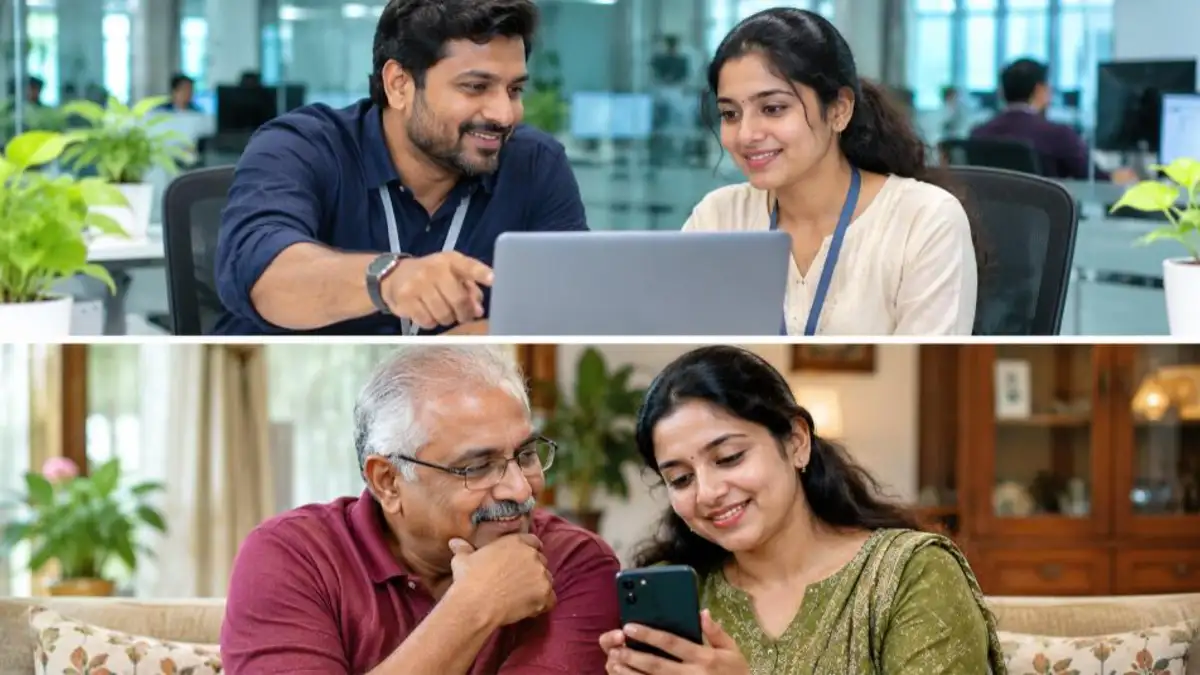
- Help family members: You can use your phone to help a parent or spouse activate UAN, as long as their Aadhaar-linked mobile is available for the OTP and they complete the face scan themselves.
Benefits of Activating UAN Early
Activating UAN in your first month at a new job saves time later. You can spot missing contributions early, ensure the right bank account is linked, and avoid claim rejections when you need an emergency advance for medical treatment, marriage or home purchase. Face-verified profiles also make transfers between employers smoother.
Who Should Do UAN Activation Right Now?
If you fall into any of these groups, complete UAN activation or face authentication this week:
- New employees who received a UAN on their payslip but never logged in
- Employees planning to change jobs in the next few months
- Anyone who needs a PF advance for medical, education, marriage or housing needs
- Employees who have not added a nominee yet
- Members whose old UAN was activated with the OTP method and never face-verified
Doing it early means your account is ready when you actually need money, instead of waiting for corrections at a stressful time.
Safety Tips
- Use only the official UMANG app and EPFO website (epfindia.gov.in).
- Never share your UAN password or OTP with agents or callers claiming to be from EPFO.
- EPFO does not charge any fee for UAN activation.
For official app downloads and service details, visit
UMANG.
Frequently Asked Questions (FAQ)
Can I do UAN activation on the EPFO portal in 2026?
No. EPFO has shifted UAN activation to the UMANG app with Aadhaar face authentication. The portal is still used to log in after activation.
Is UAN activation free?
Yes. UAN activation and generation through UMANG are completely free.
What if my Aadhaar is not linked to my mobile number?
You need an Aadhaar-linked mobile for the OTP. Visit an Aadhaar Seva Kendra to update your mobile number, then try again.
How long does UAN activation take?
If your details match, activation is instant and the password arrives by SMS within a few minutes.
Can I activate UAN without the employer?
Yes. If your employer has generated the UAN and seeded Aadhaar, you can activate it yourself. You can also generate a new UAN on UMANG, but you must share it with your employer.
Why does face authentication keep failing?
Low light, glasses, masks or a very old Aadhaar photo are the usual causes. Retry in good light; if it still fails, update your biometrics at an Aadhaar centre.
Do I need a new UAN when I change jobs?
No. One person should have only one UAN for life. Share your existing UAN with the new employer so that all your PF accounts stay under it.
Can I activate UAN on a laptop?
The 2026 activation process needs the UMANG mobile app and the Aadhaar Face RD app for the live face scan, so you need a smartphone. After activation, you can use the EPFO portal on a laptop.
What happens if I never activate my UAN?
Your employer can still deposit PF contributions, but you won’t be able to view your passbook, update KYC, transfer accounts or file online claims until you activate it.
Conclusion
UAN activation is now a quick, secure process on the UMANG app using Aadhaar face authentication. Keep your UAN, Aadhaar and linked mobile ready, finish the face scan in good light, and change your temporary password right away. Once your UAN is active, add KYC, file e-nomination and track your PF regularly so your retirement savings stay safe and easy to access.


