
 by
by Traffic cameras, AI surveillance and handheld devices now issue fines automatically, and many vehicle owners don’t even know they have pending challans until they try to renew insurance, sell the vehicle or get stopped by police. Checking your e-challan status online takes less than a minute. You can see all fines against your vehicle or driving licence, view photo evidence, and pay instantly from your phone.
This guide explains how to check e-challan status on the official Parivahan e-Challan portal, mParivahan app and other methods, how to pay fines online, how to dispute a wrong challan, what happens to court challans, and how Kerala vehicle owners can handle AI camera fines.
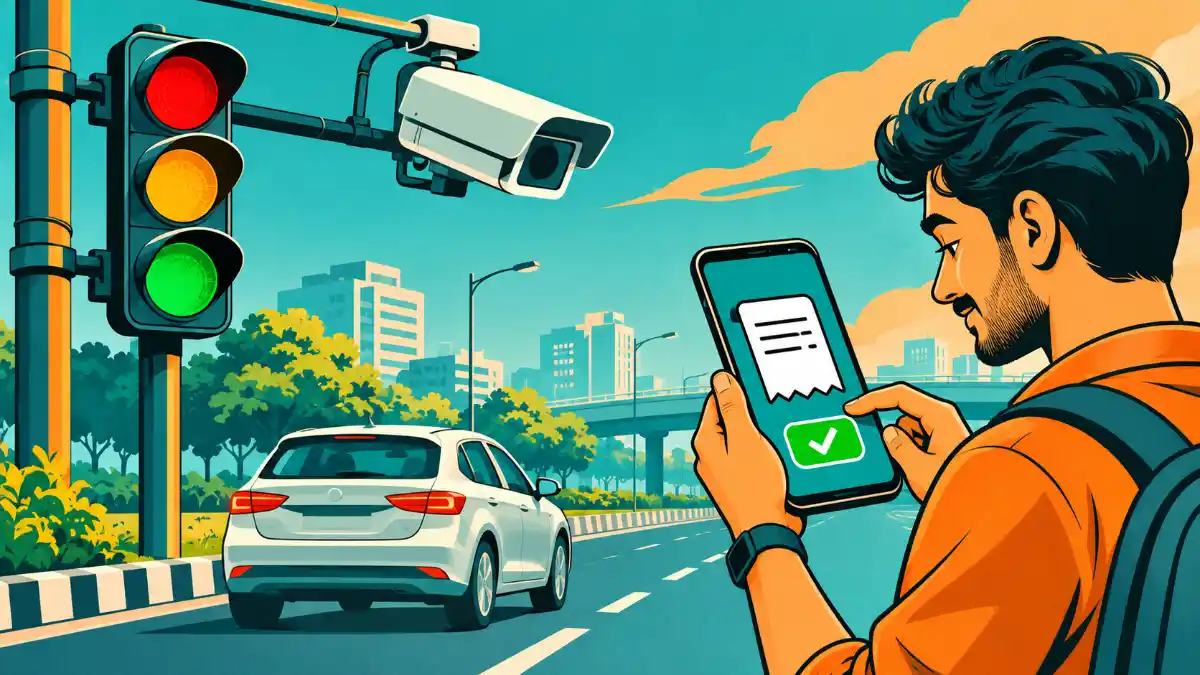
What Is an e-Challan?
An e-challan is an electronic traffic fine issued for violating traffic rules. It is generated by traffic police using handheld devices, CCTV cameras, speed cameras or AI-based camera systems. The challan is linked to your vehicle registration number and/or driving licence and recorded in the national e-Challan database maintained by the Ministry of Road Transport and Highways (MoRTH) through NIC.
Common violations that lead to e-challans include:
- Riding without a helmet or driving without a seat belt
- Over-speeding
- Jumping red lights
- Using a mobile phone while driving
- Triple riding on two-wheelers
- Wrong parking or no-parking zones
- Driving without valid insurance, PUCC or licence
- Drunken driving and dangerous driving
How to Check e-Challan Status Online on Parivahan
- Visit the official e-Challan Parivahan portal.
- Click Check Online Services > Get Challan Details (or “Pay Online”).
- Choose one option: Challan Number, Vehicle Number or DL Number.
- If using vehicle number, enter the registration number along with the last five digits of the chassis or engine number.
- Enter the captcha and click Get Detail.
- The e-challan status page shows all challans: date, location, violation, amount, status (pending/paid/disposed) and photo evidence if available.
Check e-Challan Status on the mParivahan App
- Download the official mParivahan app and log in with your mobile number.
- Go to the e-Challan or Challan Search section.
- Enter your vehicle or DL number.
- View pending and paid challans and pay directly.
Other Ways to Check Challans
- SMS alerts: When a challan is issued, an SMS is usually sent to the mobile number registered with your vehicle (in the Vahan database).
- State traffic police websites: Some states have their own challan portals.
- Digital payment apps: Several UPI and bill payment apps offer challan search and payment.
- Insurance and FASTag platforms: Some show pending challans during renewal or recharge.
Make sure your mobile number is updated in the Vahan record so you receive challan alerts on time.
How to Pay e-Challan Online
- Check your e-challan status on the Parivahan portal.
- Select the pending challan and click Pay Now.
- Verify with OTP sent to the registered mobile number.
- Choose a payment method: debit/credit card, net banking or UPI.
- Complete the payment and download the receipt.
- Check e-challan status again after some time to confirm it shows as paid/disposed.
Court Challans and Virtual Courts
If a challan is not paid within the allowed period, or if the offence is serious, it may be sent to court. Such challans can often be handled through the Virtual Courts system:
- Visit the Virtual Courts portal and select your state and the traffic department.
- Search using challan number, vehicle number or mobile number.
- View the proposed fine decided by the judge.
- Pay online or choose to contest the case.
Lok Adalats are also held periodically, where pending traffic challans can be settled, sometimes with reduced amounts. Our article on the Kerala traffic fine reduction scheme explains such settlement opportunities in Kerala.
How to Dispute a Wrong e-Challan
Sometimes challans are issued by mistake – for example, due to a misread number plate or a cloned plate. To dispute:
- Check the photo evidence on the e-challan status page.
- Use the grievance option on the e-Challan portal and submit details with proof (your vehicle’s photos, location proof, etc.).
- Contact the traffic police office that issued the challan.
- For court challans, you can contest the case in the virtual court.
If you suspect your number plate is being misused, file a police complaint immediately.
Kerala AI Camera Fines: What You Should Know
Kerala’s Motor Vehicles Department uses AI-based cameras across the state to detect violations such as riding without helmets, not wearing seat belts, using mobile phones while driving, triple riding and red-light jumping. When a violation is detected, the system generates an e-challan and sends an SMS to the registered mobile number. Kerala vehicle owners can check e-challan status on the Parivahan portal using their vehicle number, view the camera image, and pay online. If you believe the challan is wrong, contact the MVD’s control room or the issuing office with evidence.
Penalties for Common Violations
Fines under the amended Motor Vehicles Act vary by offence and state. Common examples include:
| Violation | Typical fine (may vary by state) |
|---|---|
| Riding without helmet | ₹1,000 (plus possible licence suspension) |
| Driving without seat belt | ₹1,000 |
| Using mobile phone while driving | ₹1,000 to ₹5,000 (dangerous driving) |
| Driving without insurance | ₹2,000 (first offence) |
| Driving without licence | ₹5,000 |
| Over-speeding (LMV) | ₹1,000 to ₹2,000 |
| Drunken driving | ₹10,000 and/or imprisonment (first offence) |
States can modify compounding amounts, so always check the actual fine shown in your e-challan status.
What Happens If You Don’t Pay?
- The challan may be forwarded to court, where you may need to appear or pay through virtual court.
- Vehicle-related services like ownership transfer, address change or fitness renewal may be blocked until challans are cleared.
- Repeated violations can lead to licence suspension.
- Police can stop and detain the vehicle in some cases.
Check e-Challan Status Before Buying a Used Vehicle
When buying a second-hand car or bike, always check e-challan status using the vehicle number. Pending challans stay attached to the vehicle, and transfer of ownership may be held up until they are cleared. Ask the seller to clear all fines before the deal, and also check insurance validity using our guide on vehicle insurance check.
Check e-Challan Status by DL Number
Some challans, especially those issued on the spot by police, are linked to the driver’s licence rather than the vehicle. If you drive vehicles owned by others, check e-challan status using your DL number too. This helps you know about fines that may affect your licence record.
Update Mobile Number in Vahan
If you are not receiving challan SMS alerts, your mobile number in the Vahan database may be outdated. You can update it through the Parivahan portal under vehicle-related services using Aadhaar authentication, or through the RTO. An updated number also helps with OTP verification during online payment.
Fake e-Challan Messages: Beware
Fraudsters send SMS or WhatsApp messages claiming you have a pending traffic fine, with a link to “pay now”. These links lead to fake websites that steal card details or install malware. Always check e-challan status by typing the official address yourself (echallan.parivahan.gov.in) or using the mParivahan app. Genuine messages usually come from official sender IDs and don’t ask you to download apps. If you receive a suspicious message, report it on Sanchar Saathi Chakshu, and if you lost money, call 1930.
e-Challan Status Meanings
| Status | Meaning | What to do |
|---|---|---|
| Pending | Fine not yet paid | Pay online or dispute if wrong |
| Paid / Disposed | Fine paid and case closed | Keep receipt |
| Sent to court / Virtual court | Challan forwarded to court | Pay via virtual court or appear |
| Physical court | Needs appearance in court | Check court date and attend |
| Under process | Payment being updated | Recheck after 24–48 hours |
Payment Not Updated After Paying?
Sometimes the e-challan status continues to show “pending” even after payment due to bank or gateway delays. Wait 24 to 48 hours and check again. If it still shows pending, use the “Payment Verification” or grievance option on the portal with your transaction reference number and payment receipt. Never pay the same challan twice without checking the transaction status with your bank.
How Traffic Cameras Generate Challans
Modern camera systems use Automatic Number Plate Recognition (ANPR) to read registration numbers and AI algorithms to detect violations such as missing helmets or seat belts. The image and violation details are reviewed and sent to the e-Challan system, which issues the challan to the registered owner. This is why the owner receives the challan even if someone else was driving. If you lend your vehicle, make sure the driver follows rules, because fines will come to you.
Tips to Avoid e-Challans
- Always wear a helmet (rider and pillion) and seat belts (all passengers).
- Follow speed limits, especially in camera zones.
- Never use a mobile phone while driving; use hands-free only when safe and legal.
- Keep insurance, PUCC and licence valid; store them in DigiLocker or mParivahan.
- Avoid parking in no-parking zones.
- Use proper high-security registration plates; damaged plates can lead to misreads.
- Check e-challan status every month, especially if multiple family members use the vehicle.
Real-Life Example
Vishnu planned to sell his car in Thrissur. When the buyer checked the e-challan status using the vehicle number, three pending AI camera challans for seat belt violations appeared – fines Vishnu didn’t know about because his old mobile number was registered in Vahan. He updated his number, paid the challans online, and downloaded receipts. The ownership transfer then went through smoothly. Since then, he checks his e-challan status every month.
e-Challan Status for Commercial Vehicles and Fleets
Taxi operators, logistics companies and school bus owners often manage many vehicles. Pending fines can block permits, fitness renewals and other services. Fleet managers should check e-challan status for every vehicle weekly, assign responsibility to drivers for violations, and clear fines promptly. Some fleet management software and transport apps integrate challan checks to make this easier.
e-Challan Status and Licence Points
Repeated serious violations can lead to suspension of your driving licence by the licensing authority. Offences like drunken driving, dangerous driving, over-speeding and using mobile phones while driving are treated seriously. Checking your e-challan status by DL number helps you understand your record and correct your driving habits before they lead to licence suspension.
Challans Issued in Other States
The e-Challan system is national, so a challan issued in another state (for example, during a trip to Karnataka or Tamil Nadu) will appear when you check e-challan status on the Parivahan portal, provided that state uses the national system. Some states may use their own portals, so if you travelled recently, check the traffic police website of that state as well.
Getting a Receipt and Keeping Records
After paying, download and save the receipt as a PDF. Keep records for at least a few years, especially if you plan to sell the vehicle. Receipts help if the e-challan status is not updated properly or if a dispute arises later.
e-Challan Status Checklist
- Keep vehicle number and chassis/engine last five digits ready.
- Check e-challan status on Parivahan or mParivahan.
- Review photo evidence and violation details.
- Pay genuine challans online and save receipts.
- Dispute wrong challans with evidence.
- Handle court challans through virtual courts.
- Update your mobile number in Vahan for alerts.
- Repeat the check every month.
Why Road Safety Rules Matter
Traffic fines are not just about revenue. India records a very high number of road accident deaths every year, and many of them involve two-wheeler riders without helmets, passengers without seat belts, drunk driving or over-speeding. Cameras and electronic challans aim to change behaviour by making enforcement consistent and transparent. When drivers know that violations will be recorded automatically, they are more likely to follow rules, and roads become safer for pedestrians, cyclists and other motorists. Treat every fine as a reminder to drive more responsibly, not just as a bill to pay.
Many cities have seen fewer accidents at junctions after cameras were installed, because drivers slow down and respect signals. Each of us can contribute by following rules even when no camera is watching.
Teaching Young Drivers
If your children have just started driving, sit with them and explain common violations and their fines. Show them how cameras work and why helmets and seat belts save lives. Encourage them to check the vehicle’s documents before every long trip. Building good habits early prevents accidents, legal trouble and unnecessary expenses later.
What If the Vehicle Is Sold but Challans Still Come to You?
If you sold your vehicle but the ownership was not transferred in the RTO records, fines for violations committed by the new owner will still come to you. Always complete the ownership transfer immediately after a sale, keep the sale agreement and delivery note, and follow up until the RC shows the buyer’s name. If challans continue to arrive after the sale date, submit the sale documents to the traffic police and request correction.
Digital Documents Reduce Hassle
Carrying physical papers is no longer necessary when valid digital versions are available on your phone.
Keeping your RC, licence, insurance and PUCC in DigiLocker or mParivahan means you can show valid documents during checks, avoiding challans for “not carrying documents”. Digital copies issued through these apps are legally valid under the Motor Vehicles Act and IT Act.
Helpline and Support
For problems with the e-Challan portal, use the contact and grievance details provided on the official website. For state-specific queries, contact the local traffic police or RTO. In Kerala, the Motor Vehicles Department’s offices and official helpline can assist with AI camera challans and corrections. Keep your challan number, vehicle number and payment details ready when you call.
Frequently Asked Questions on e-Challan Status
How can I check e-challan status by vehicle number?
Visit echallan.parivahan.gov.in, choose Vehicle Number, enter the registration and chassis/engine digits, and click Get Detail.
Is there a fee to check challans?
No. Checking e-challan status is free.
How long does it take for a challan to appear online?
Camera challans may appear within a few days of the violation; on-spot challans usually appear immediately.
Can I pay someone else’s challan?
Yes, if you have the challan details, though OTP goes to the registered owner’s mobile.
Conclusion
Checking your e-challan status regularly helps you avoid surprises, court cases and penalties. Use the Parivahan e-Challan portal or mParivahan app, pay genuine fines on time, dispute wrong ones with evidence, and keep your mobile number updated in Vahan. Most importantly, follow traffic rules – the best challan is the one you never get. Share this guide with friends and family who drive.
A few seconds spent checking fines each month can save you from late penalties, court visits and blocked vehicle services. More importantly, safe driving protects lives. Make responsible driving a habit, keep your documents valid, and use the official portals for every check and payment. Your family is waiting for you at home, so drive carefully and arrive safely every time.


